
Follow this guide at your own risk, and back up your data first. Full disclaimer
Updated 8 November 2026 Tested with: TrueNAS 27.0.0-RC.1
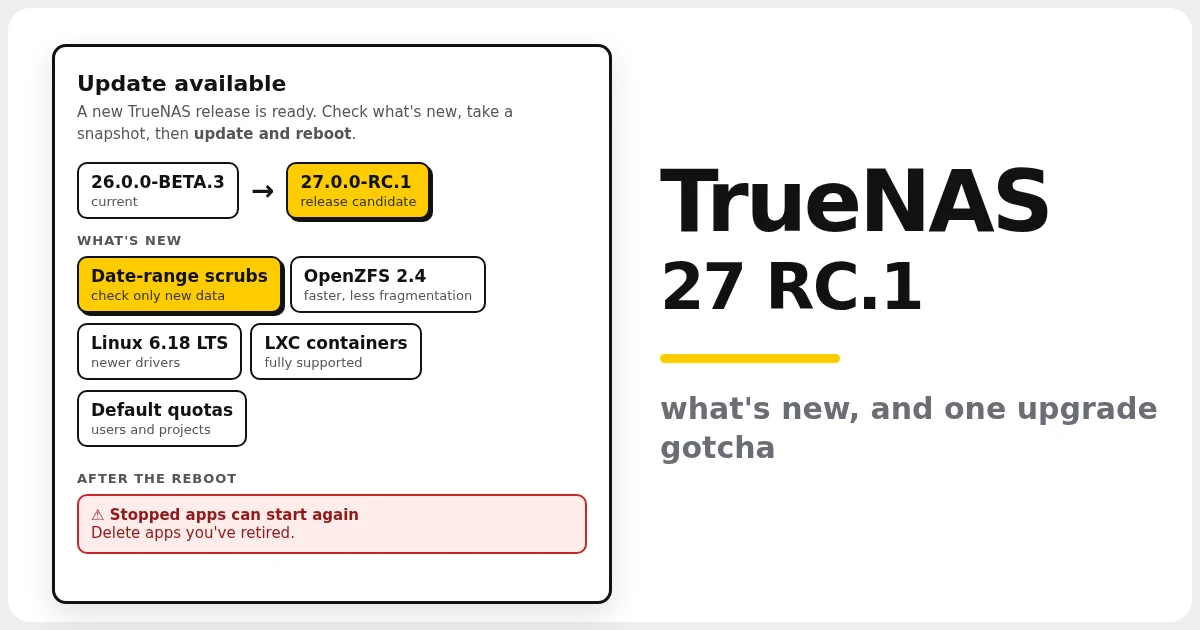
I upgraded my home server from TrueNAS 26 BETA.3 to TrueNAS 27 RC.1 this morning. (TrueNAS 26 has been renamed TrueNAS 27, so this is the same release under a new number.) The upgrade itself went smoothly, but one thing caught me out afterwards, and it’s worth knowing about before you press the button. Here’s what’s new, how it went, and a short checklist.
On this page (6 sections)
What’s new in TrueNAS 27 RC.1 for a home server
- Date-range scrubs. OpenZFS 2.4 can scrub just the data written between two dates, for example everything since your last full scrub. On a big pool that takes far less time than checking everything. It’s command-line only in RC.1 (there’s no option for it in Scrub Tasks yet):
sudo zpool scrub -S "2026-10-01" tank - Faster ZFS. Encryption is faster on modern CPUs, dedup writes are quicker, and new writes are placed better, so the pool fragments less as it fills.
- Default quotas. You can give every user, group or project on a dataset the same quota without setting each one. This is also command-line only for now (it isn’t in the dataset’s Space Management card yet):
sudo zfs set defaultuserquota=500G tank/home - Linux 6.18 LTS kernel, with newer drivers for HBAs and recent NVIDIA cards.
- LXC containers are fully supported now. They’re a lighter way to run a small Linux system than a full VM.
- Clearer alerts. An alert now tells you how to fix the problem, and managing users takes fewer clicks.
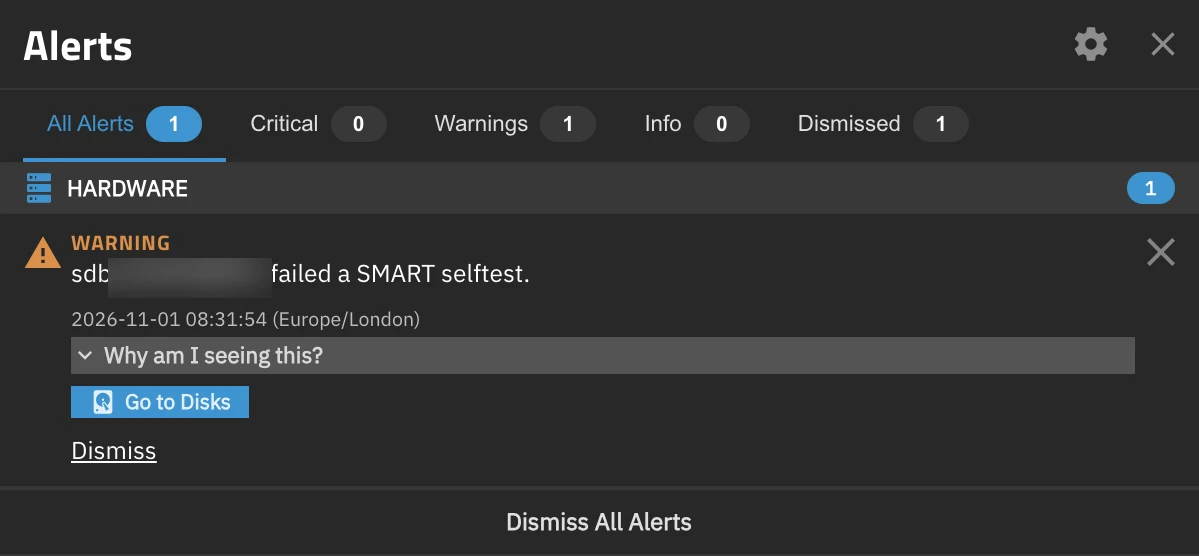
Alerts now have a Why am I seeing this? section and a button that takes you straight to the fix. Here it’s Go to Disks for a drive that failed its SMART test.
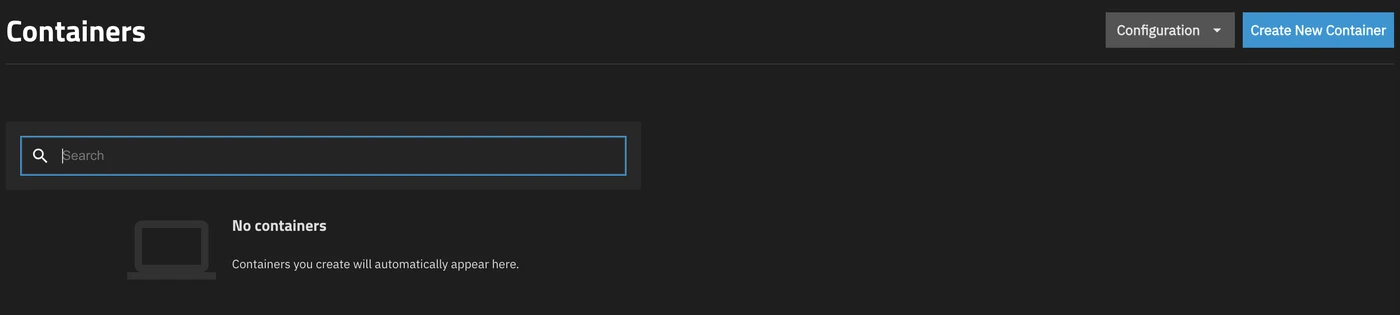
LXC containers have their own Containers page in the menu, separate from Apps and Virtual Machines. Create New Container starts one.
Also new, though less useful at home: a native S3 object store (early access; versioning and Object Lock need a paid licence), plus TrueSearch, WebShare and macOS Spotlight search, which all need a TrueNAS Connect subscription.

Both show up on the Shares page after the upgrade. S3 is marked Early Access, and WebShare won’t start without TrueNAS Connect.
How the upgrade went
To be offered RC.1, set your update profile to Early Adopter: System → Update → Update Profile → Early Adopter → Apply. While 27 is still a release candidate, General (the default, for finished releases) shows as not available.
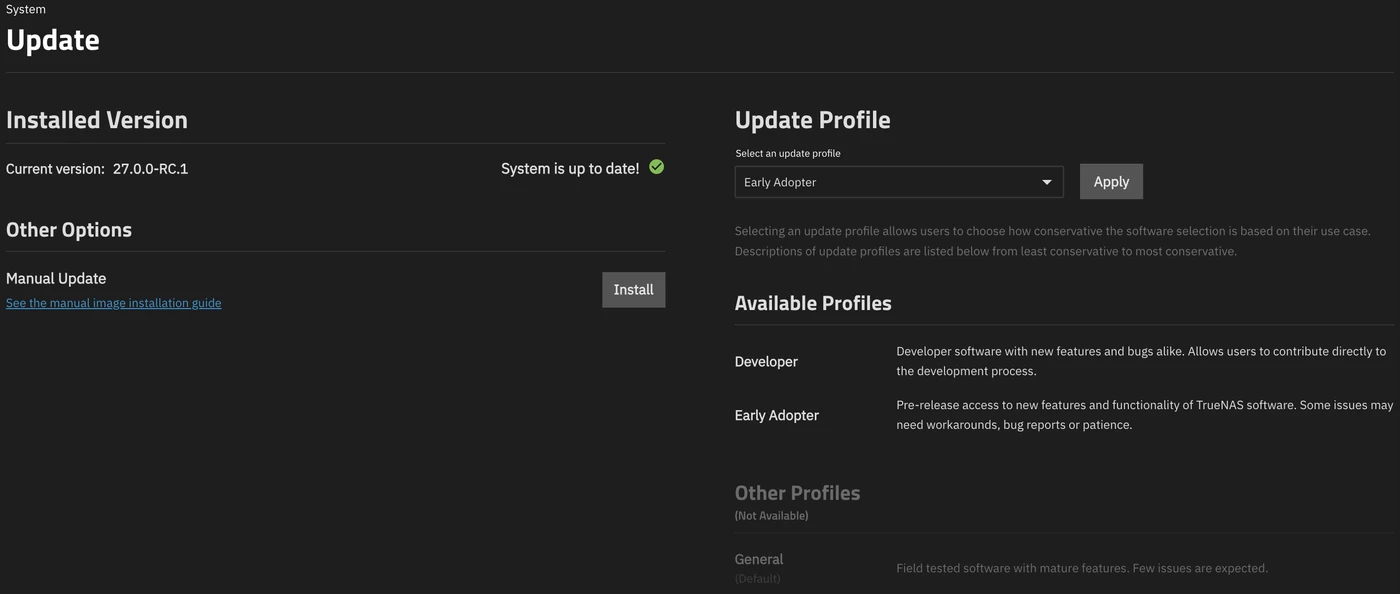
The download and reboot took about four minutes. For the first ten minutes the load was very high (over 30) while every app started and the disks caught up. That’s normal after a reboot with a lot of apps, and it settled down on its own. All my pools came back healthy and all my apps started.
One small thing: the drive names changed. A disk that was sdf before the reboot came back as sdb. If you have scripts or SMART tests that use /dev/sdX names, switch them to /dev/disk/by-id/… paths, which never change.
The gotcha: a stopped app started again
A few weeks ago I moved Home Assistant off TrueNAS onto its own mini PC. I left the old TrueNAS app installed but stopped, just in case. After the upgrade, TrueNAS started it again.
That would have been harmless, except the old app shared its database folder with the new setup. For a few minutes two copies of Postgres were writing to the same files, and that damages a database. The old app also took the new mini PC’s IP address, so Home Assistant dropped off the network.
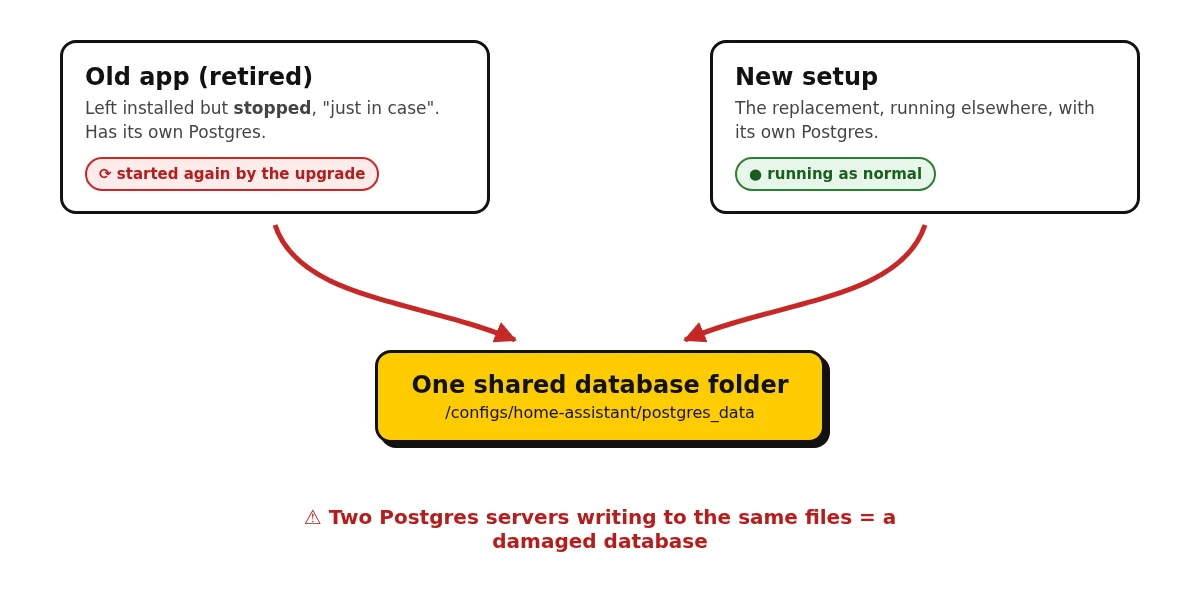
What fixed it:
- Stopped and then deleted the old app. Deleting a TrueNAS app doesn’t touch host-path folders, so the data stayed put.
- Copied the database folder back from the nightly ZFS snapshot, taken before the damage. I lost a few hours of Home Assistant history, nothing else.
- Restarted the mini PC so it took its IP address back.
The lesson: don’t leave retired apps installed, even stopped, especially if they share folders or an IP address with whatever replaced them. And take nightly snapshots. Without one, this would have been a much worse morning.
Checklist before you upgrade
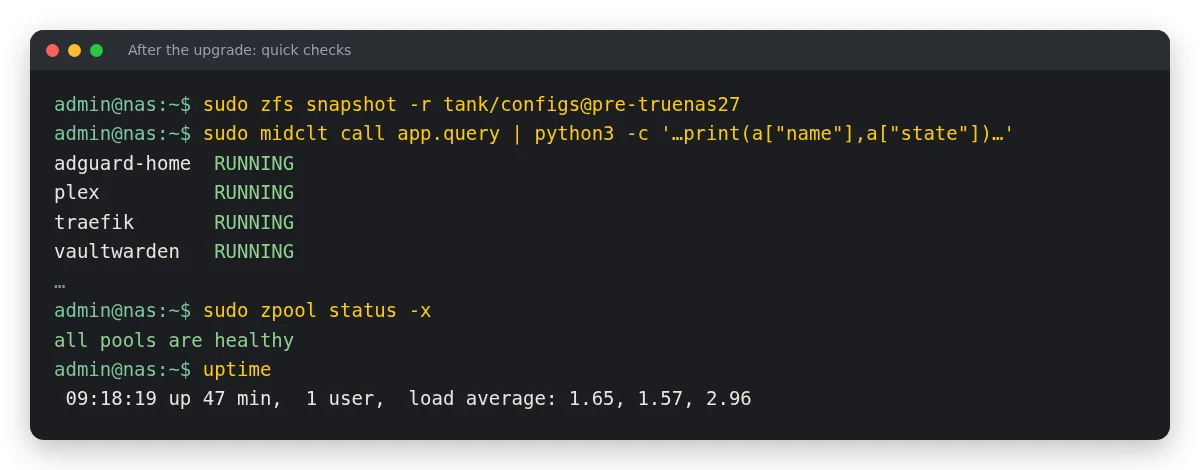
- Take a snapshot of your app data first (change
tank/configsto your own dataset):sudo zfs snapshot -r tank/configs@pre-truenas27 - Delete any apps you no longer use rather than leaving them stopped.
- After the reboot, check which apps are running and that the pools are healthy:
sudo midclt call app.query | python3 -c 'import sys,json;[print(a["name"],a["state"]) for a in json.load(sys.stdin)]' sudo zpool status -x - Give it ten minutes before you judge how it’s running. The high load straight after boot is just the apps starting up.
Should you upgrade to TrueNAS 27 RC.1?
It’s a release candidate, and TrueNAS says production systems should wait for the final TrueNAS 27.0, due in early December 2026. If your server holds the only copy of something important, wait. If you’re happy testing and you have backups, RC.1 has been stable for me since the upgrade. If it goes wrong, TrueNAS keeps your previous version as a boot environment (System → Boot), so you can boot back into it.
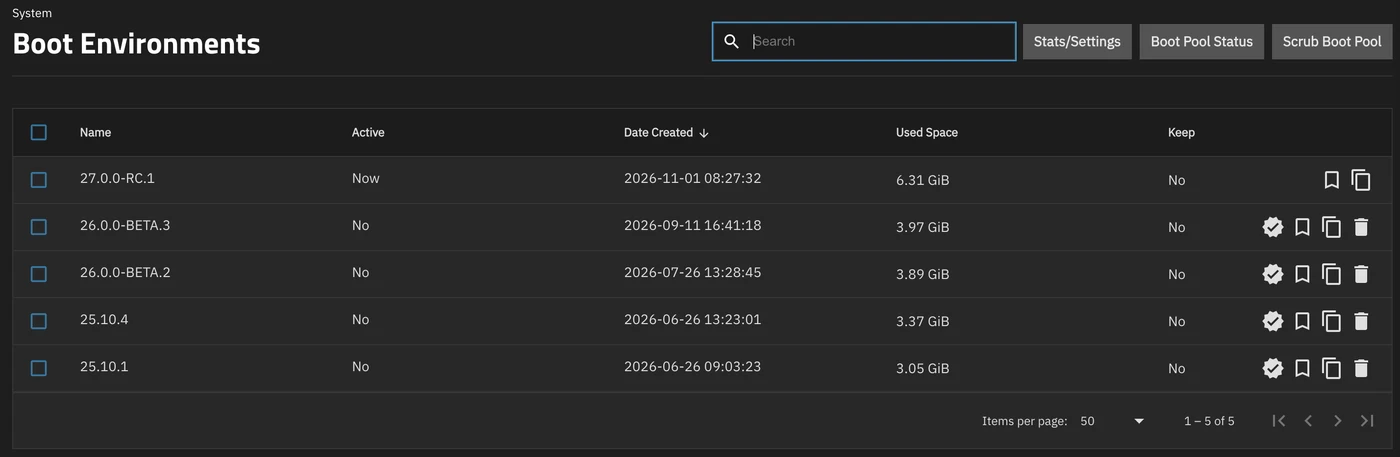
Every version you’ve upgraded from stays in the list. To go back, click the tick icon (Activate) on the one you want, then reboot.
Related guides: How to Install Docker and Docker Compose · Complete Arr Stack with Docker Compose · Install Home Assistant with Docker Compose · TrueNAS Home Assistant Card
Frequently asked questions
Should I upgrade to TrueNAS 27 RC.1?
It's a release candidate, not a finished release. My upgrade went smoothly, but read the checklist first, especially the part about stopped apps starting again.
Why isn't TrueNAS 27 offered as an update?
While it's a release candidate, set System → Update → Update Profile to Early Adopter and click Apply. The General profile only offers finished releases.
What happened to TrueNAS 26?
TrueNAS 26 was renamed TrueNAS 27, so it's the same release under a new number.
What's new in TrueNAS 27 for a home server?
Date-range scrubs and faster ZFS from OpenZFS 2.4, default quotas, the Linux 6.18 LTS kernel, fully supported LXC containers, and alerts that explain how to fix the problem.
Get new guides by email
About one email a month: new step-by-step guides and card releases. No spam, unsubscribe any time.
 spikey1965