
Use this at your own risk, and test it before relying on it, especially anything that controls a real device. Full disclaimer
Updated 8 November 2026
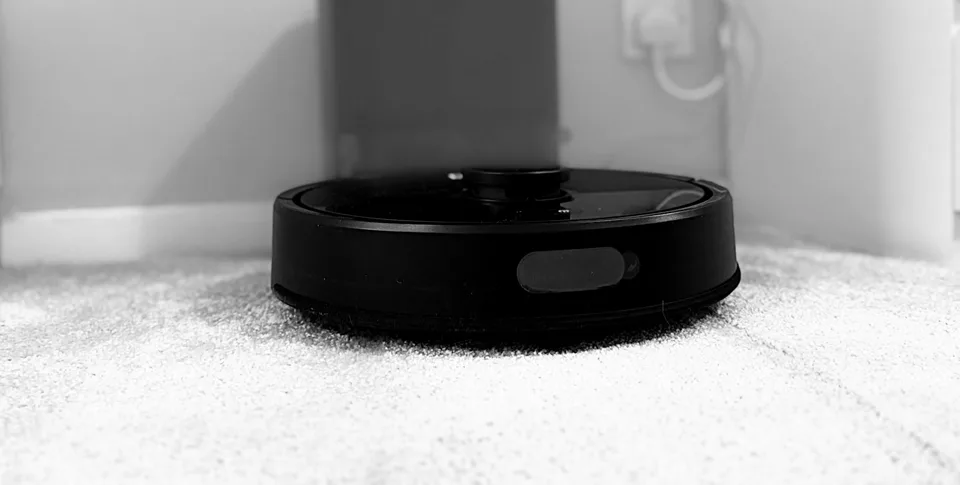
I bought a robot vacuum for the upstairs of my house and added it to Home Assistant. This is what I found running a real Roborock Q7 L5+ with Home Assistant, including the parts that don’t work yet.
As an Amazon Associate I earn from qualifying purchases. If you buy through a link here, the price is the same for you and a small commission helps keep the guides and cards free.
Here’s the unboxing, the setup in the Roborock app and its first clean, in just over a minute.
On this page (7 sections)
Roborock Q7 L5+ with Home Assistant: the short answer
Yes, the Q7 L5+ works with Home Assistant’s own Roborock integration, with no add-ons. I tested it on Home Assistant 2026.10.4, where it appears as model roborock.vacuum.sc01. You get its status, map and rooms, but it has fewer controls than Roborock’s bigger robots.
Room cleaning works too. Its first scheduled clean did the rooms I picked, including the landing, and skipped the bathroom. The room buttons on my dashboard work as well.
What you get in Home Assistant
| Feature | On my Q7 L5+ |
|---|---|
| Vacuum entity, battery and status | Yes |
| Live map picture | Yes |
| Named rooms | Yes, after you name them in the Roborock app and reload the integration |
| Suction levels | Quiet, Balanced, Turbo, Max and Max+ |
| Cleaning mode, water flow and route | Yes, as select entities |
| Brush, filter, sensor and mop time left | Yes |
| Dust collection setting | No, there’s no entity for it on this robot |
| Starting a bin empty from Home Assistant | No, I couldn’t find a command for it. The dock still empties on its own |
| “Emptying” status | Not seen. I watched the logs while the dock emptied and the status never changed, though Home Assistant only checked about once a minute |
| Cleaning chosen rooms | Yes, from a schedule or a dashboard button |
How to add it
- Set the robot up in the Roborock app first, including any firmware update.
- In Home Assistant, go to Settings → Devices & services → Add integration → Roborock and sign in with your Roborock account. If you already have the integration, reload it so it finds the new robot.
- Run a mapping clean. If you have stairs, block the top for the first run and stay nearby. Add a no-go line in the app afterwards.
- Name your rooms in the Roborock app.
- Reload the Roborock integration: Settings → Devices & services → Roborock → ⋮ → Reload. Until you do, Home Assistant can show the old room names.
Watch out for room numbers. My room numbers changed after I edited the map in the app, so check them again before you trust any script or automation that uses them.
Cleaning one room
This robot doesn’t use the same room command as the Qrevo range. It uses this one instead, with your own room numbers:
action: vacuum.send_command
target:
  entity_id: vacuum.your_robot
data:
  command: service.set_room_clean
  params:
    clean_type: 1
    ctrl_value: 1
    room_ids: [10, 11]
To see your room numbers, go to Developer tools → Actions, run roborock.get_maps on your robot and tick Return response.
This is the command my schedule and room buttons use, and it works on my robot.
Putting it on your dashboard
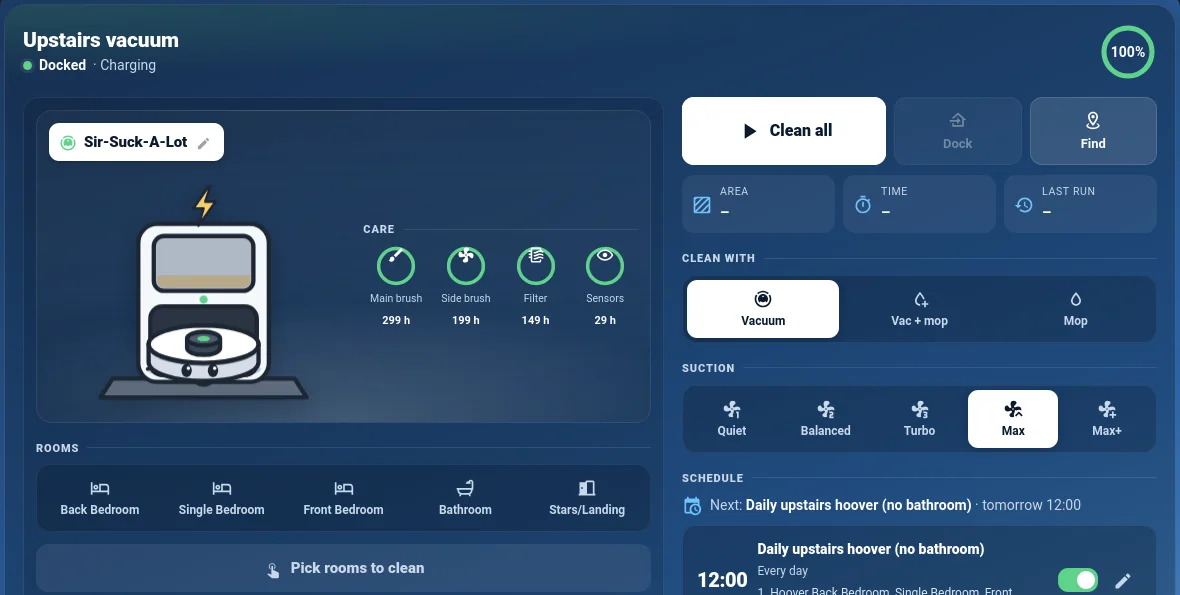
I use my free Roborock Buddy Card. The Q7 L5+ needs one extra line, because it doesn’t tell Home Assistant it has a self-empty dock:
type: custom:roborock-buddy-card
entity: vacuum.your_robot
dock: empty
If your map fits better on its side, the website version of the card can turn it with map_rotate: 90.
Should you buy one for Home Assistant?
Yes, if you want a capable robot that cleans the rooms you choose, on a schedule or from a button. It isn’t as quick as the Roborock I use downstairs, but other than that it does the job.
The missing controls are mostly about the dock, and the dock still empties on its own. If you want every setting in Home Assistant, look at Roborock’s bigger robots instead.
See the Roborock Q7 L5+ on Amazon
Related: Roborock Buddy Card and my Home Assistant and media server kit.
Frequently asked questions
Does the Roborock Q7 L5+ work with Home Assistant?
Yes, with Home Assistant's own Roborock integration and no add-ons. You get its status, map, rooms, suction levels and consumables, but fewer controls than Roborock's bigger robots.
Can Home Assistant clean one room on the Q7 L5+?
Yes. It uses a different room command from the Qrevo range. This post shows the command and how to find your room numbers.
Can Home Assistant empty the Q7 L5+ bin?
Not that I could find. There's no entity or command for it, but the dock still empties on its own.
Why does Home Assistant show old room names?
Reload the Roborock integration after naming rooms in the Roborock app. Room numbers can also change after you edit the map, so check them before trusting a script.
Get new guides by email
About one email a month: new step-by-step guides and card releases. No spam, unsubscribe any time.