
For educational purposes only. This guide shows how to install self-hosted software on your own hardware. I don't condone piracy: only use these apps with media you own or have the right to use, and follow the law where you live. Back up your data first. Full disclaimer
Updated 8 November 2026
I started with a Synology, but I wanted to build a better server, and you can’t really upgrade a Synology. So I planned my own home server build.
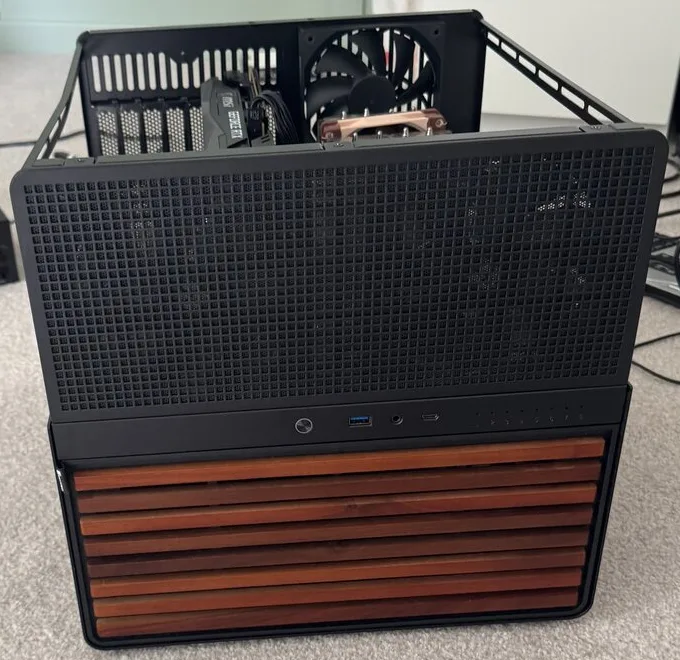
These photos are from July 2025, when I first built it. It’s the machine that runs Plex and all the Docker apps behind this site’s guides. Most of the insides have changed since, but the case and the main hard drives are still the same.
As an Amazon Associate I earn from qualifying purchases. If you buy through a link here, the price is the same for you and a small commission helps keep the guides and cards free.
On this page (8 sections)
Then and now
| First build | Now | |
|---|---|---|
| Case | Jonsbo with a wood front | The same Jonsbo case |
| Processor | Ryzen 7 1700 (3.0 GHz) | Ryzen 7 5700G |
| Motherboard | Gigabyte AX370-Gaming 5 | ASRock X570 Pro4 |
| Memory | 8 GB DDR4 | 64 GB of Crucial DDR4 |
| Graphics | MSI RTX 3050 8 GB | GTX 1660 |
| Main storage | 4 × 8 TB Seagate IronWolf | The same four drives |
The first home server build
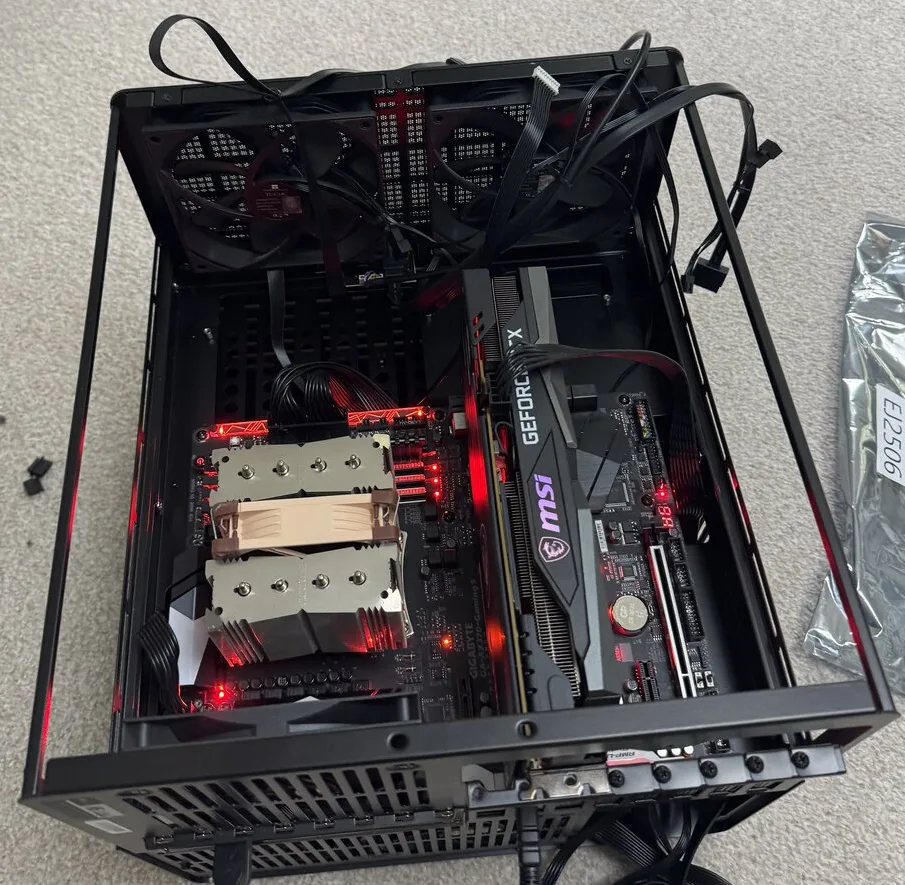
I started with a Ryzen 7 1700, a Gigabyte AX370-Gaming 5 and 8 GB of memory. That’s the Gigabyte board in the photo, with the MSI graphics card next to it.
Upgrade 1: the processor that wouldn’t boot
The processor was my first upgrade, and it’s where things went wrong. I bought a Ryzen 7 5700G, but my old Gigabyte board wouldn’t boot with it. I updated the BIOS and it still wouldn’t work.
So I replaced the motherboard with an ASRock X570 Pro4, and the 5700G worked straight away, with no issues at all.
What I’d do differently: before you buy a new processor for an older board, check the CPU support list on the board maker’s website, and which BIOS version it needs. It could save you buying a motherboard you weren’t planning on.
Upgrade 2: 64 GB of memory, paid for by selling the old parts
I found a good deal on memory, so while I was changing everything else I went from 8 GB to 64 GB, eight times what it started with.
To help pay for it all, I sold the old motherboard, processor and memory together as a bundle. If you’re upgrading, that’s worth doing: parts that are too old for your server can still be useful to someone else.
The graphics card my grandson got
My first build had an MSI RTX 3050, but my grandson needed it for his computer, so I gave it to him and fitted a GTX 1660 instead.
It does the job. Plex transcodes on it without breaking a sweat: when I checked, it was running three streams at once with the encoder at about 3%. You don’t need a new graphics card for a media server.
What hasn’t changed
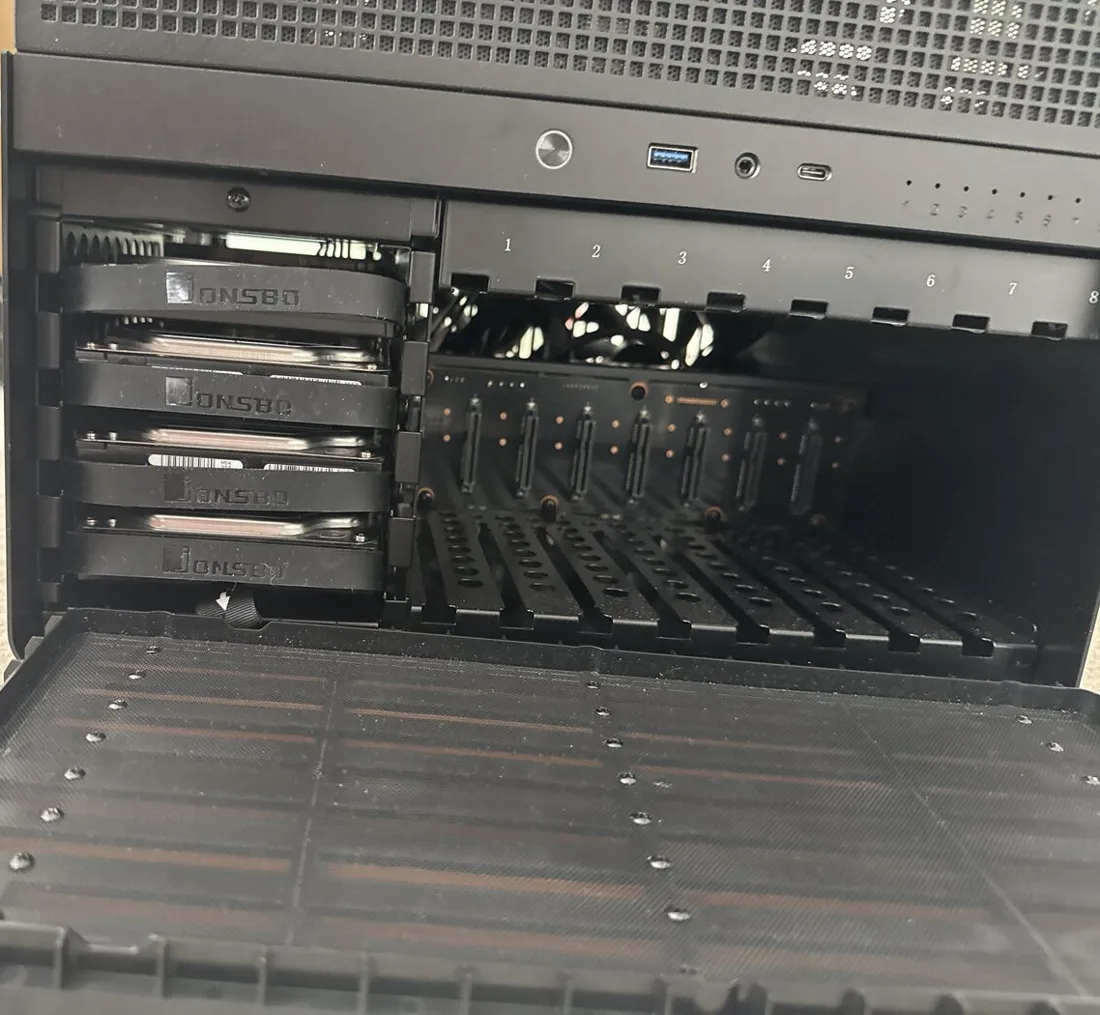
The case is the same one, and so are the four 8 TB IronWolf drives. They came from my old Synology, and they’ve each clocked up more than 36,000 hours, which is over four years of running.
There’s room for more drives in the bays, so I later added two 6 TB SAS drives. They needed an LSI 9211-8i HBA card (IT mode) to connect them.
What it does now
It runs TrueNAS with Plex and dozens of Docker apps. A lot of what I watch is from my own Blu-ray collection, and Plex makes it easy to enjoy around the house.
If you’d like to build something similar, start with these:
- How to install Docker and Docker Compose
- How to set up Plex with Docker Compose
- How to set up a complete Arr stack
Every part I use now is on my Home Assistant and media server kit page.
Frequently asked questions
What hardware runs this home server?
A Ryzen 7 5700G on an ASRock X570 Pro4, 64 GB of Crucial DDR4, a GTX 1660 and four 8 TB Seagate IronWolf drives, in a Jonsbo case.
Why wouldn't the Ryzen 5700G boot on the old motherboard?
The Gigabyte AX370 board didn't support it, even after a BIOS update. Before buying a new processor for an older board, check the board's CPU support list and the BIOS version it needs.
Why build a server instead of buying a Synology?
A Synology can't really be upgraded. A self-built server let me change the processor, memory and graphics card over time while keeping the same case and drives.
Get new guides by email
About one email a month: new step-by-step guides and card releases. No spam, unsubscribe any time.