
For educational purposes only. This guide shows how to install self-hosted software on your own hardware. I don't condone piracy: only use these apps with media you own or have the right to use, and follow the law where you live. Back up your data first. Full disclaimer
Updated 16 November 2026 Tested with: Gluetun (qmcgaw/gluetun:latest, November 2026)
Gluetun is a free VPN container for Docker. Any app you put “behind” it can only reach the internet through your VPN. Websites and other downloaders see the VPN’s IP address instead of your home one, and if the VPN ever drops, those apps are cut off instead of leaking your real IP.
This guide sets up Gluetun with Docker Compose in four short steps. It takes about 10 minutes.
On this page (11 sections)
- 1Watch: set up Gluetun with Docker Compose
- 2See what Gluetun does
- 3What you need to set up Gluetun with Docker Compose
- 4Step 1: Get your VPN key
- 5Step 2: Make your compose file
- 6Step 3: Start it
- 7Step 4: Check it works
- 8Putting an app behind Gluetun
- 9If something’s wrong
- 10Updating Gluetun
- 11Frequently asked questions
Watch: set up Gluetun with Docker Compose
The video has subtitles at the bottom and no sound. It was recorded on a clean test install with a real ProtonVPN connection, using a key made just for the recording. The addresses you see are the VPN’s, and yours will be different.
Privacy, not a loophole. A VPN keeps your connection private from your internet provider and the sites you visit. It doesn’t make downloading copyrighted material legal, so only download what you have the right to.
See what Gluetun does
Press Connect VPN, then Send a request, and watch which IP address the website gets. Then press VPN drops and send again, and finally untick Use Gluetun. Under the demo is the generator you’ll use in Step 2.
Open the generator full screen
What you need to set up Gluetun with Docker Compose
- A computer or NAS running Docker (the
docker composecommand). New to Docker? My Docker install guide covers Windows, Mac and Linux. - A VPN subscription that Gluetun supports. ProtonVPN, Mullvad, PIA, AirVPN, NordVPN and Surfshark are all in the generator.
Step 1: Get your VPN key
Gluetun logs in to your VPN with a WireGuard key, a long line of letters and numbers from your VPN’s website. Pick your provider in the generator above and it tells you exactly where to find it.
For ProtonVPN (the provider used in the video):
- Sign in at protonvpn.com and go to Downloads → WireGuard configuration.
- Choose GNU/Linux, and turn on NAT-PMP (Port Forwarding) if you’ll download torrents.
- Click Create next to a server.
- Copy the text after
PrivateKey =. That’s your key.
Treat the key like a password. Anyone who has it can use your VPN account.
Step 2: Make your compose file
In the generator above, pick your provider and country, and tick the apps you plan to put behind Gluetun. It adds their ports for you. Then on your server:
- Make a folder and go into it:
mkdir -p ~/gluetun && cd ~/gluetun - Save the generator’s compose.yaml there. Use the Download button, or run
nano compose.yaml, paste, then press Ctrl+O, Enter and Ctrl+X. - Do the same for .env, and paste your key after
WIREGUARD_PRIVATE_KEY=.
What the important lines do:
cap_add: NET_ADMINand/dev/net/tunlet Gluetun create the VPN connection.ports:lists the web pages of the apps behind Gluetun. They go on Gluetun, not on the apps themselves.FIREWALL_OUTBOUND_SUBNETSlets those apps still talk to devices on your home network, such as Plex or your NAS. Set it to your home network’s range, usually192.168.1.0/24or192.168.0.0/24.
Step 3: Start it
Run these in the same folder. They’re also in the generator’s Commands tab, with your own config folder filled in.
sudo mkdir -p /opt/arr/config/gluetun
docker compose up -d
Wait about 30 seconds, then check it:
docker compose psYou want to see Up (healthy). If it says (unhealthy) or keeps restarting, jump to If something’s wrong.
Step 4: Check it works
Ask Gluetun for its public IP address:
docker exec gluetun wget -qO- https://ipinfo.io/jsonThe "ip" and "country" should be the VPN server’s, for example the Netherlands, not your home’s. To compare, google “what is my IP” on your phone with Wi-Fi on. The two should be different.
If you turned on port forwarding, see which port your VPN gave you:
docker logs gluetun 2>&1 | grep -i "port forwarded"That’s it, Gluetun is running. 🎉
Putting an app behind Gluetun
Any app goes behind Gluetun with the same two changes in its compose section:
  qbittorrent:
    image: lscr.io/linuxserver/qbittorrent:latest
    network_mode: "service:gluetun"   # use Gluetun's network
    depends_on:
      gluetun:
        condition: service_healthy    # wait for the VPN first
        restart: true
    # no ports: here, they go on gluetun
Then open the app at your server’s address as usual, for example http://192.168.1.10:8080. The qBittorrent guide does all of this step by step, including passing the forwarded port to qBittorrent automatically.
If something’s wrong
- Gluetun stays “unhealthy”. Read the log with
docker logs --tail 30 gluetun. The usual causes are a mistyped key (copy it again, with no spaces) or a country your plan doesn’t include (try another one). - The log complains about
VPN_SERVICE_PROVIDER. The provider name must be exactly as the generator writes it, for exampleprotonvpnorprivate internet access. - The log complains about
WIREGUARD_ADDRESSES. Mullvad, AirVPN and Surfshark need theAddress = …line from your config file as well. Paste it afterWIREGUARD_ADDRESSES=in.env. - An app behind Gluetun can’t reach Plex or other devices at home. Check that
FIREWALL_OUTBOUND_SUBNETSmatches your home network. - Can’t open an app’s web page. Its port must be under gluetun’s
ports:, not the app’s.
Updating Gluetun
cd ~/gluetun
docker compose pull && docker compose up -d
🧰 What I use
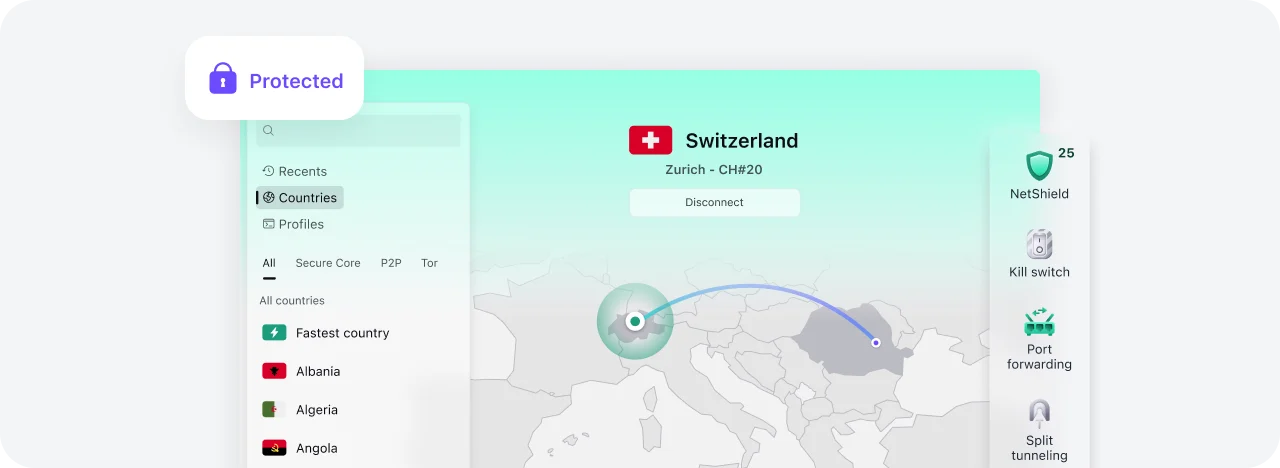
Proton VPN: works with Gluetun over WireGuard, with port forwarding. It is one of the providers Gluetun can set up port forwarding with by itself.
This is an affiliate link: if you sign up through it, I may earn a commission, at no extra cost to you. Use a VPN for privacy, and only download what you have the right to.
Frequently asked questions
What does Gluetun do?
Gluetun is a free VPN container for Docker. Apps you put behind it can only reach the internet through your VPN, so websites see the VPN's IP address, and if the VPN drops those apps are cut off instead of leaking your home IP.
Which VPN providers work with Gluetun?
Most big ones, including ProtonVPN, Mullvad, Private Internet Access, AirVPN, Surfshark and NordVPN. The generator on this page writes the right settings for six of them.
Why does Gluetun stay unhealthy?
Usually a mistyped WireGuard key or a country your plan doesn't include. Read the log with docker logs --tail 30 gluetun, copy the key again with no spaces, or try another country.
Why can't I open the web page of an app behind Gluetun?
The app's port has to be listed under Gluetun's ports:, not under the app's own service, because the app shares Gluetun's network.
Can apps behind Gluetun still reach Plex and other devices at home?
Yes, as long as FIREWALL_OUTBOUND_SUBNETS matches your home network, for example 192.168.1.0/24.
Thank you
Gluetun is made by Quentin McGaw and is free and open source. If it’s useful to you, give it a star on GitHub. Its wiki has the full details for every VPN provider.
Related guides: qBittorrent · Complete Arr Stack · Media Server Stack
If this guide helped you, consider buying me a coffee. It helps keep guides like this one coming.
☕Buy me a coffeeGet new guides by email
About one email a month: new step-by-step guides and card releases. No spam, unsubscribe any time.
 spikey1965