
For educational purposes only. This guide shows how to install self-hosted software on your own hardware. I don't condone piracy: only use these apps with media you own or have the right to use, and follow the law where you live. Back up your data first. Full disclaimer
Updated 16 November 2026 Tested with: Radarr 7.0.3
Radarr 7 is now stable (version 7.0.3). It’s the biggest Radarr update in a while: you can now sign in through your own single sign-on (OIDC), skip the login for the computer Radarr runs on, use normal PEM certificates, pull movies from a Trakt Smart List and sort your library by popularity. This guide sets it up right next to a normal Radarr, to see what’s changed.
This guide shows you Radarr 7 with Docker Compose the safe way: as a test copy that can’t touch your real movie library. If you like it, there’s a section at the end on moving your main Radarr over. New to Radarr? Start with the Radarr guide first. Already tried the Sonarr 5 beta guide? This works the same way.
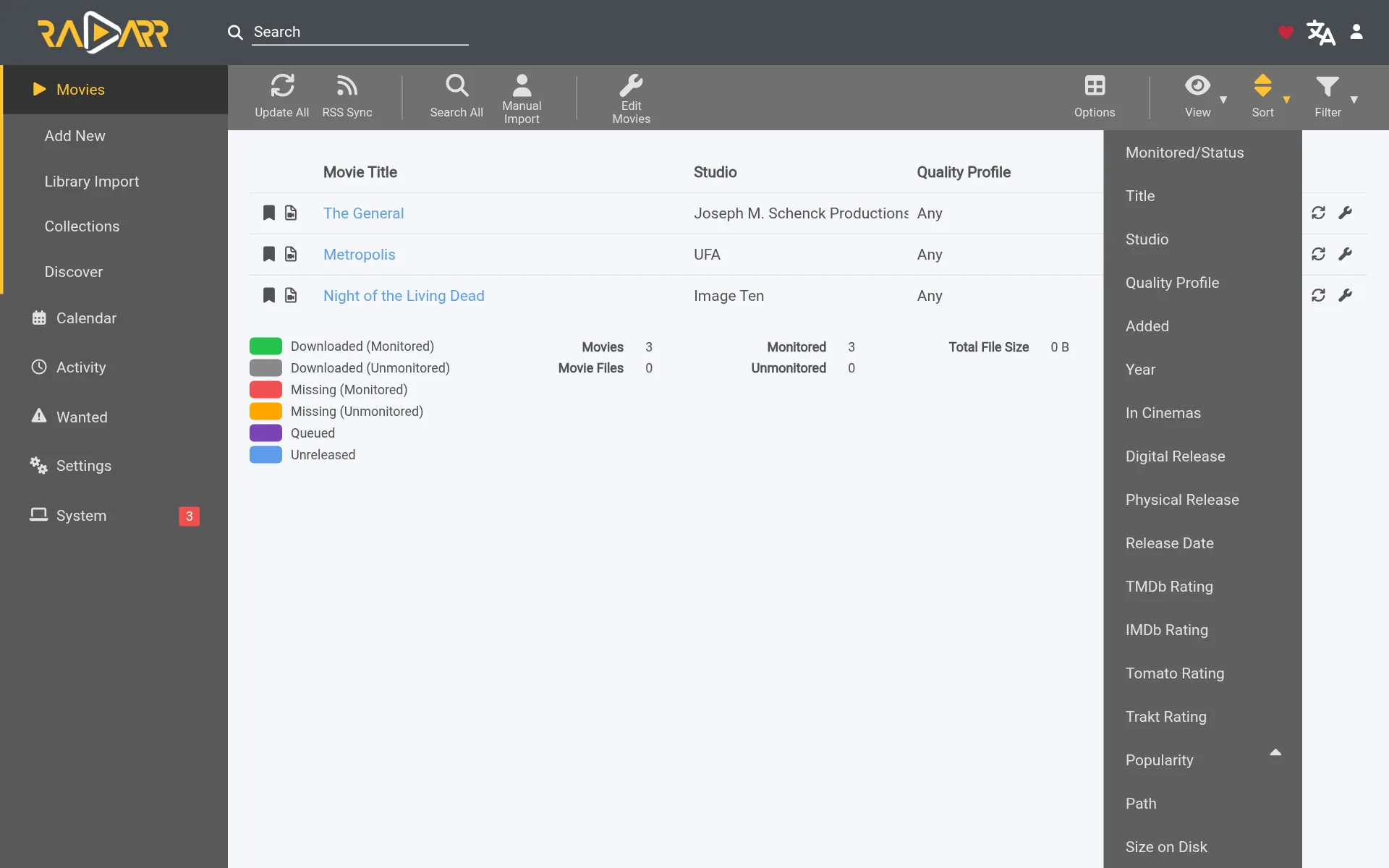
lscr.io/linuxserver/radarr:latest image is now Radarr 7, so a plain docker compose pull upgrades your Radarr. Back up your config folder first: when Radarr 7 starts, it upgrades its database, and Radarr 6 can’t open that database again. The test copy below is still a safe way to try it first. Use :latest in place of the pinned develop tag.On this page (14 sections)
- 1Upgrade or test copy? Try it
- 2What’s new in Radarr 7
- 3What you need
- 4Step 1: Make your folders
- 5Step 2: Make your compose file
- 6Step 3: Sign in
- 7Step 4: Connect qBittorrent and pick the movie folder
- 8Step 5: Get your indexers from Prowlarr
- 9Try it: add one movie
- 10More new settings to look at
- 11Happy with it? Moving your main Radarr to v7
- 12If something’s wrong
- 13Updating Radarr 7
- 14Frequently asked questions
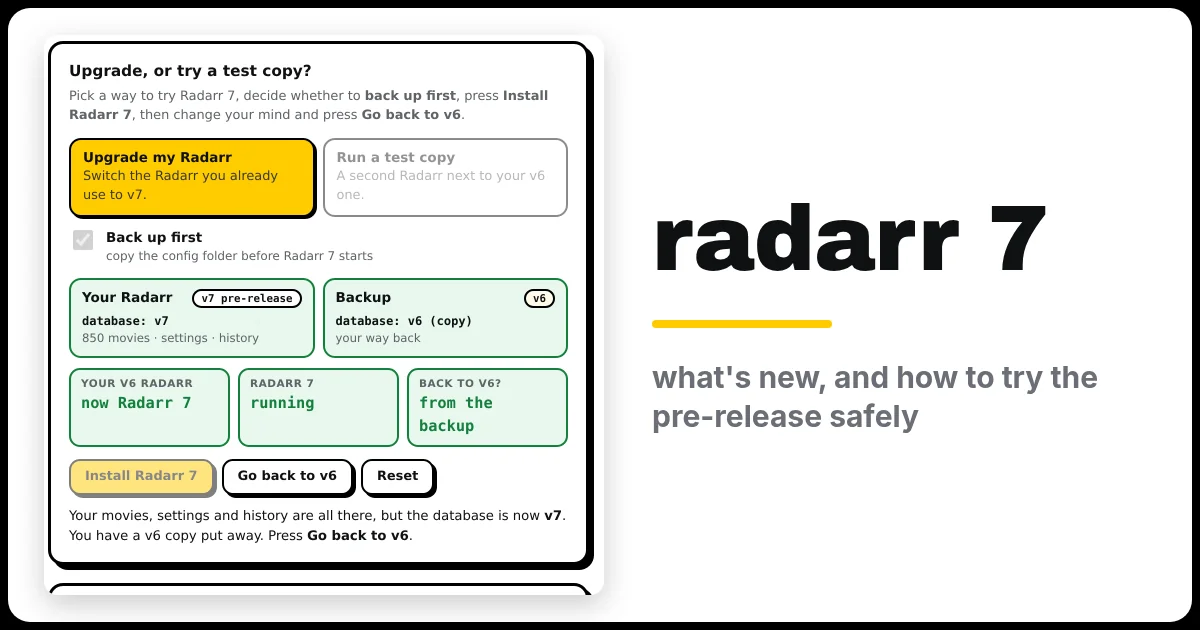
Upgrade or test copy? Try it
Pick Upgrade my Radarr or Run a test copy, tick Back up first (or don’t), press Install Radarr 7, then press Go back to v6 and see what happens. Under the demo is the generator you’ll use in Step 2.
Open the generator full screen
What’s new in Radarr 7
- OIDC login. Sign in to Radarr with the single sign-on you already use, such as Authentik, Authelia or Pocket ID, instead of a separate Radarr password. There’s a Remember Me option too.
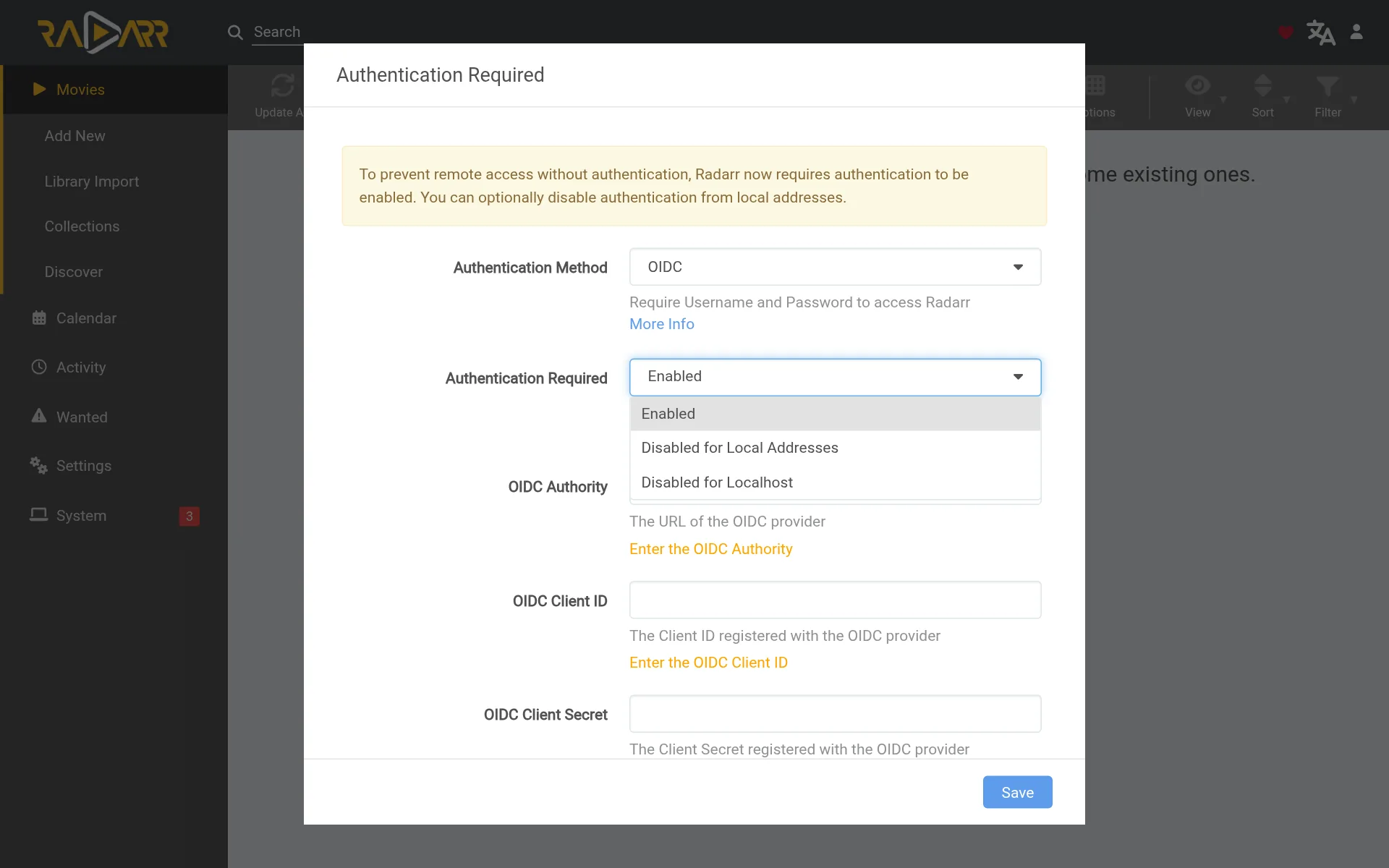
- Disabled for Localhost. A new choice for Authentication Required: no login only for the computer Radarr runs on, while everything else on your network still has to sign in. It’s tighter than Disabled for Local Addresses.
- PEM certificates. If Radarr serves HTTPS itself, it now takes a normal
.pemcertificate plus a key file, the kind Let’s Encrypt gives you, not just a.pfx. - Trakt Smart Lists as an import list, and Popularity as a sort option for your movies and on the Discover page.
- Under the hood: Radarr 7 runs on .NET 10. With Docker you don’t need to do anything about that; the new image includes it.
What you need
- A computer or NAS running Docker. New to Docker? The Docker install guide covers Windows, Mac and Linux.
- A download client: qBittorrent, or SABnzbd for Usenet.
- Prowlarr, to give Radarr 7 its indexers.
- About 15 minutes.
Step 1: Make your folders
The test copy uses the same data folder as everything else, so hardlinks still work. It just gets its own movie folder inside it:
/data
├── torrents
│   └── movies-radarr7   ← the test copy's downloads
└── media
    ├── movies           ← your real movie library (Radarr 6)
    └── movies-v7-test   ← the test copy's movie library
The generator’s Commands tab creates these folders for you in Step 2.
Step 2: Make your compose file
In the generator, choose Radarr 7 and Test copy next to my Radarr, and fill in the same data folder your qBittorrent uses. Then on your server:
- Make a new folder, not the one your normal Radarr uses:
mkdir -p ~/radarr7 && cd ~/radarr7 - Save compose.yaml and .env from the generator there.
- Run the commands from the Commands tab. They make the folders and start Radarr 7.
The generator uses lscr.io/linuxserver/radarr:latest, which is Radarr 7 now that it’s stable.
Step 3: Sign in
Open http://YOUR-SERVER-IP:7980. Radarr 7 has no login yet, so it opens straight to an Authentication Required box:
- Authentication Method: choose Forms (Login Page), then type a username and password. (Use OIDC instead if you already run a single sign-on server.)
- Authentication Required: leave it on Enabled.
- Click Save, and sign in with what you just typed.
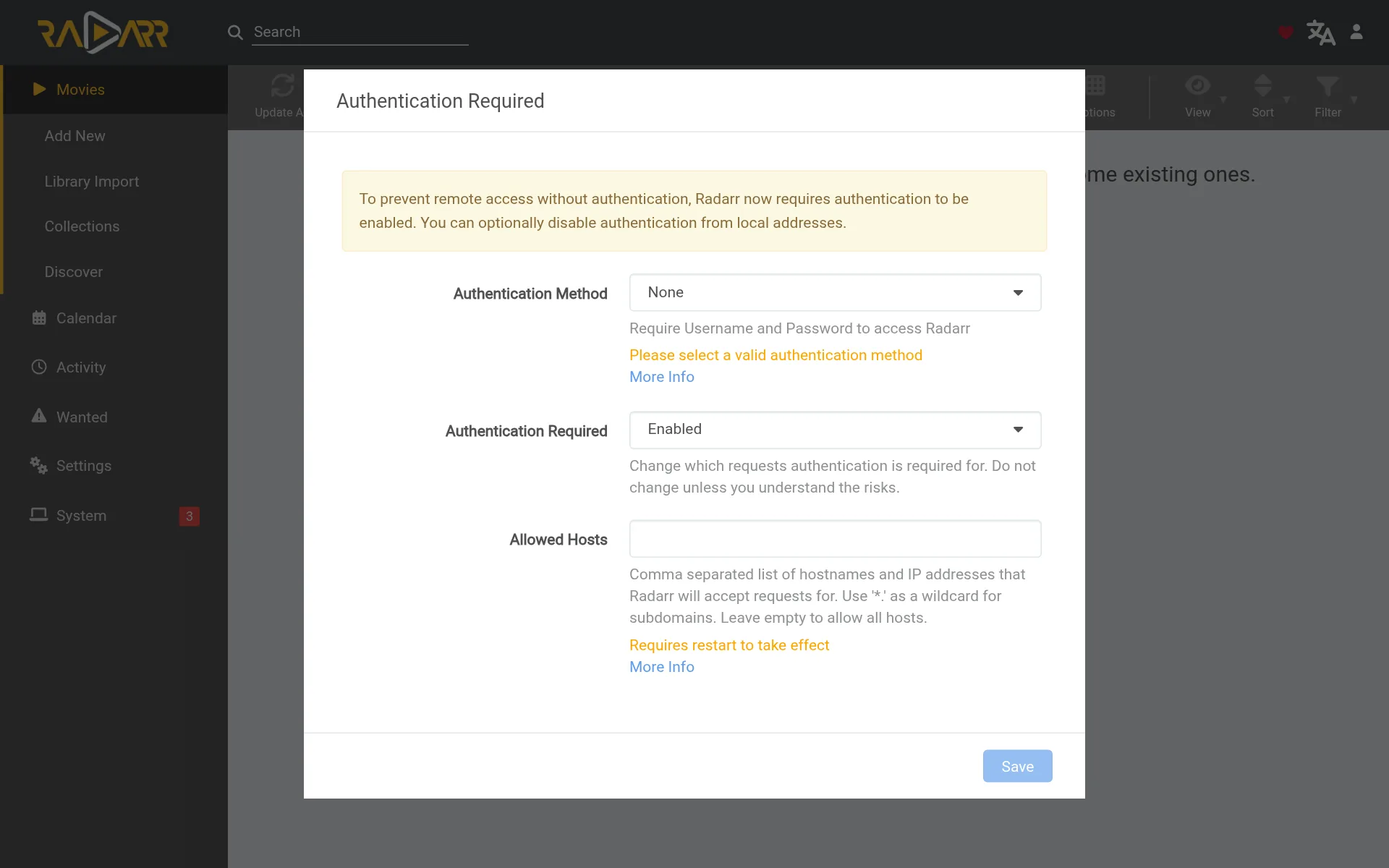
Allowed Hosts is optional. Leave it empty and Radarr answers to any name or IP. If you fill it in (for example 192.168.1.10,localhost), Radarr ignores requests that use any other name.
Step 4: Connect qBittorrent and pick the movie folder
- Go to Settings → Media Management, click Add Root Folder and choose
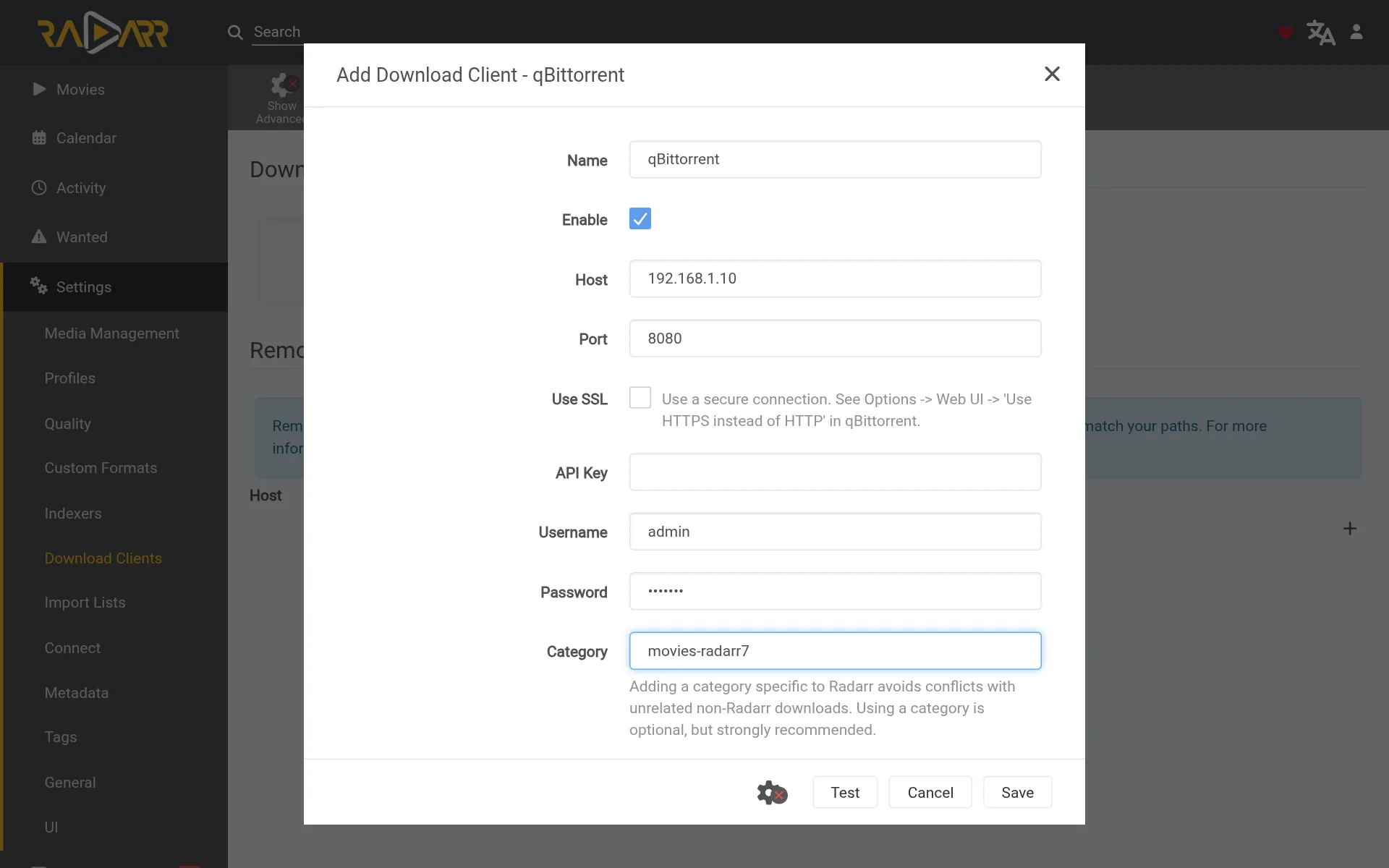
/data/media/movies-v7-test. - Go to Settings → Download Clients, click + and choose qBittorrent.
- Host and Port: your server’s IP and
8080. Add your qBittorrent username and password. - Category:
movies-radarr7. This keeps the test copy’s downloads apart from your normal Radarr’smoviesones. - Click Test (green tick), then Save.
Using SABnzbd too? Add it the same way, with the category movies-radarr7, and make that category in SABnzbd under Config → Categories.
Step 5: Get your indexers from Prowlarr
- In Radarr 7, go to Settings → General and copy the API Key.
- In Prowlarr, go to Settings → Apps, click + and choose Radarr. Give it a name like Radarr 7 (test).
- Prowlarr Server:
http://YOUR-SERVER-IP:9696. Radarr Server:http://YOUR-SERVER-IP:7980(note: 7980). Paste the API key, then Test and Save.
Within a minute, your indexers appear in Radarr 7 under Settings → Indexers. Your normal Radarr keeps its own.
Try it: add one movie
- Click Movies → Add New and search for a movie.
- Pick the
movies-v7-testroot folder and a quality profile, then click Add Movie. - Watch it appear under Activity → Queue. Then open Movies, click Sort and try the new Popularity option.
Only add a movie or two. If you import your whole library into the test copy, it will try to download everything a second time.
More new settings to look at
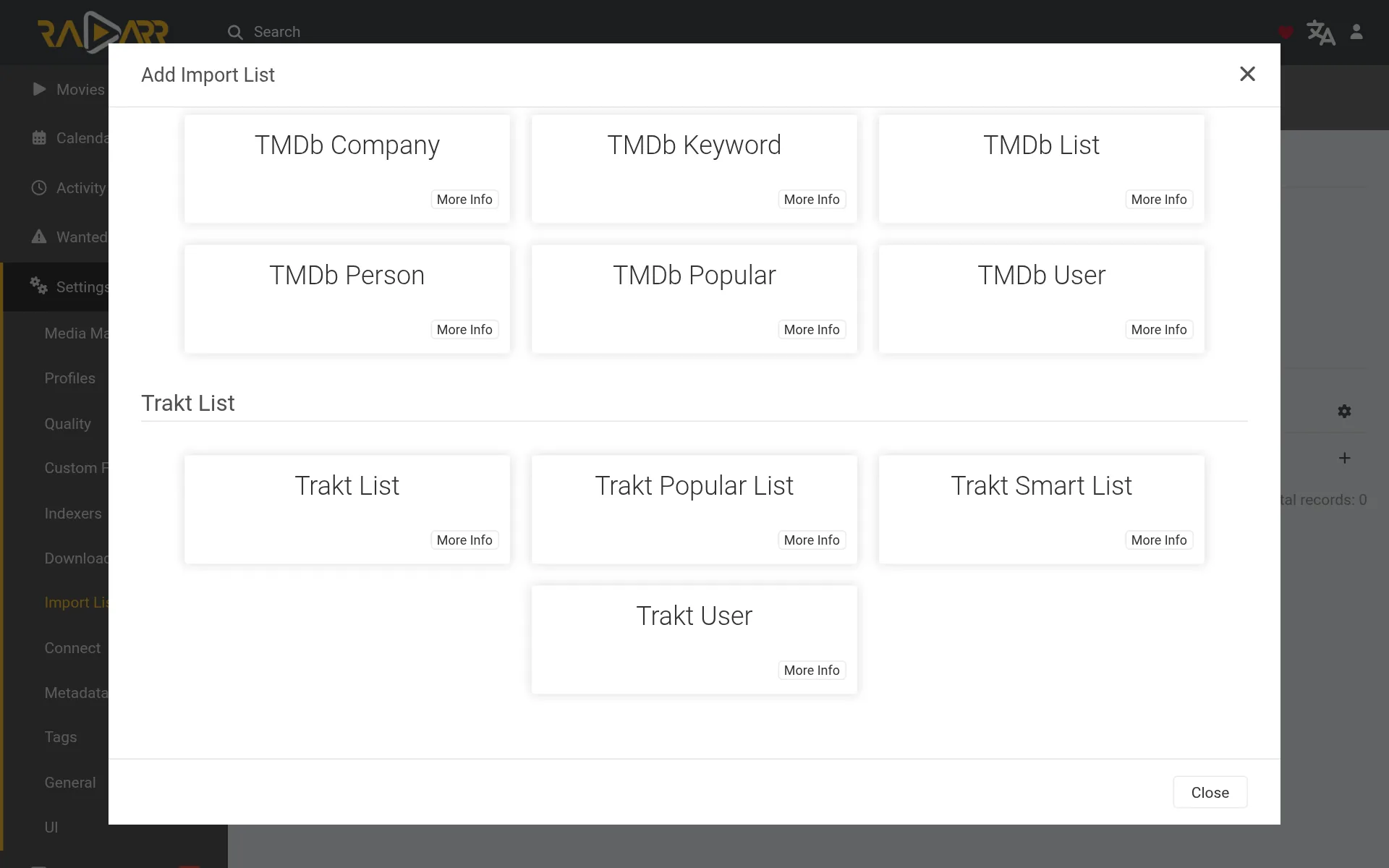
Trakt Smart Lists. Under Settings → Import Lists → +, the Trakt section now has a Trakt Smart List, for lists that Trakt keeps up to date for you.
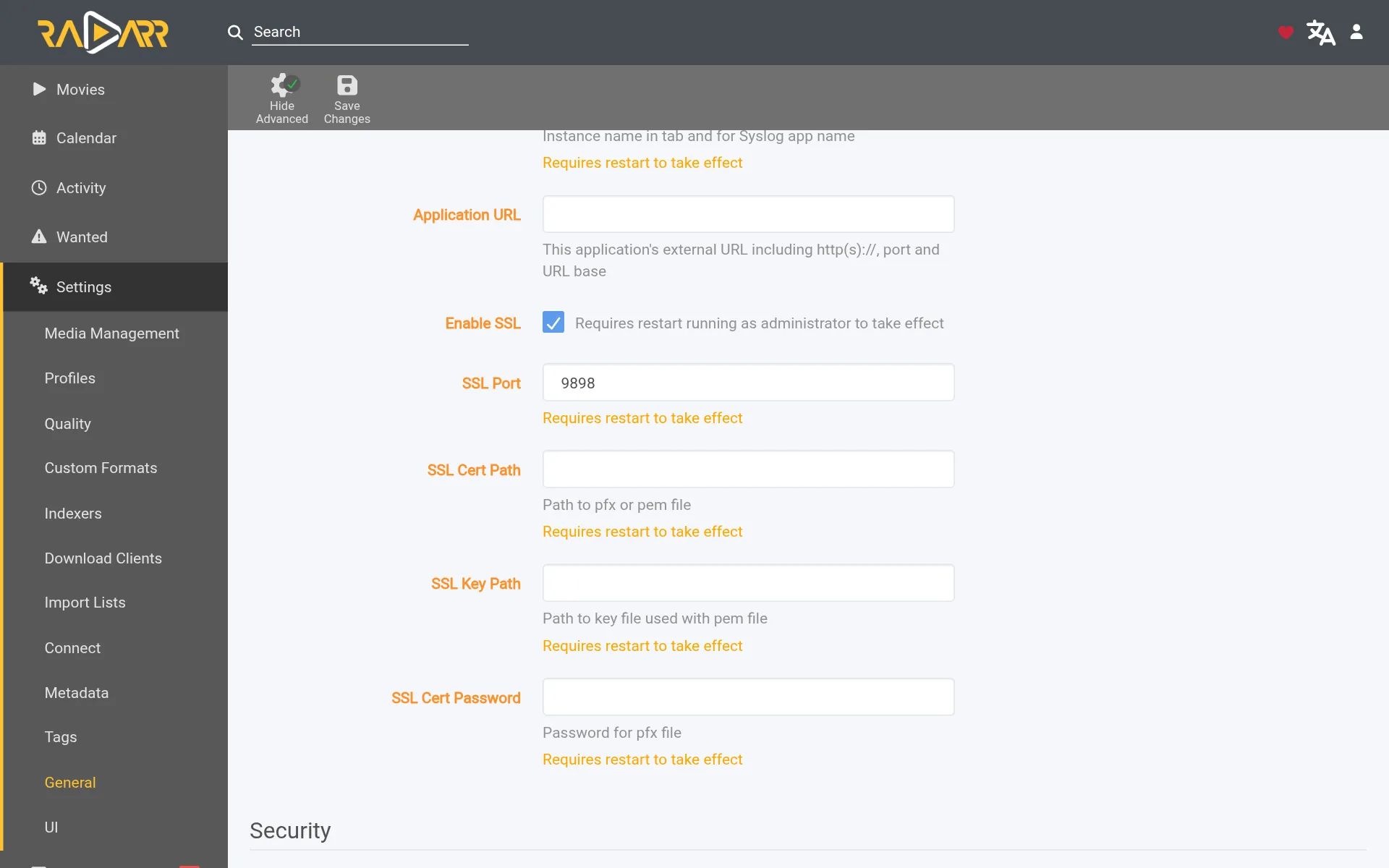
HTTPS with a PEM certificate. Most people let a reverse proxy handle HTTPS, but if Radarr does it itself, go to Settings → General, click Show Advanced and tick Enable SSL. SSL Cert Path takes a .pem file now, and the new SSL Key Path takes its key.
Happy with it? Moving your main Radarr to v7
When you’re ready to move your real Radarr over, use the generator again and pick Upgrade my Radarr. Its Commands tab:
- Stops Radarr and copies its whole config folder. That copy is your only way back to v6, so don’t skip it.
- Starts Radarr 7 with your existing config. It upgrades the database on the first start, then everything is where you left it.
To go back to v6 later, stop Radarr, put the copied folder back and set the image back to a version 6 tag (the newest 6.x tag on the LinuxServer releases page). :latest is now Radarr 7, so it won’t take you back. Anything you changed while on v7 (new movies, history) is lost, because the copy is from before the upgrade.
Finished testing? Delete the test copy:
cd ~/radarr7 && docker compose downThen delete its config and test folders, and remove Radarr 7 (test) from Prowlarr’s Apps.
If something’s wrong
- “Bind for 0.0.0.0:7878 failed: port is already allocated”. The test copy is trying to use your normal Radarr’s port. Its compose file must say
7980:7878. - The Save button stays grey on the first screen. Pick an Authentication Method other than None and fill in a username and password.
- The page says “Bad Request – Invalid Hostname”. You filled in Allowed Hosts and the name you typed isn’t in it. Add it in Settings → General, or open Radarr 7 by IP address.
- Your normal Radarr imports the test copy’s downloads (or the other way round). They’re sharing a category. Give the test copy
movies-radarr7(Step 4). - Radarr 6 won’t start after trying v7. Radarr 6 can’t read a v7 database. Put back the config folder you copied before the upgrade.
- Radarr offers an update under System → Updates. Don’t install it from there. With Docker, the Radarr team says to update by changing the image tag, as this guide does.
Updating Radarr 7
If you pinned the pre-release tag, change the image in compose.yaml to lscr.io/linuxserver/radarr:latest, which is now Radarr 7. After that, a plain pull keeps it up to date:
cd ~/radarr7
docker compose pull && docker compose up -d
Frequently asked questions
What's new in Radarr 7?
Single sign-on through your own provider (OIDC), skipping the login for the computer Radarr runs on, normal PEM certificates, Trakt Smart Lists, and sorting by popularity.
Can I go back from Radarr 7 to Radarr 6?
Only with a backup. Radarr 6 can't read a v7 database, so put back the config folder you copied before upgrading.
Can I run Radarr 7 next to Radarr 6?
Yes. Give the test copy its own port (7980), config folder, movie folder and download category (movies-radarr7), and the two never see each other.
Should I update Radarr from System → Updates?
No. With Docker, the Radarr team says to update by changing the image tag, as this guide does.
Thank you
Radarr is made by the Radarr team and is free and open source. You can support them on Open Collective, and read the full Radarr 7.0.0.10815 release notes. Thanks also to LinuxServer.io for the image.
Related guides: Radarr · Sonarr 5 beta · Prowlarr · qBittorrent
More app betas: Sonarr 5 · SABnzbd 5.2 · all betas
If this guide helped you, consider buying me a coffee. It helps keep guides like this one coming.
Get new guides by email
About one email a month: new step-by-step guides and card releases. No spam, unsubscribe any time.
 spikey1965