
Sonarr and Radarr are great at finding and grabbing releases, but they can’t do anything with a file until it’s actually usable — and a lot of releases, especially on private trackers, ship as RAR archives instead of a plain video file. Left alone, Sonarr/Radarr will just sit there waiting for a file that never “arrives” in a format they can import. Unpackerr closes that gap: it watches your download client’s completed folder, extracts anything Sonarr/Radarr are waiting on, and gets out of the way once the *arr apps pick the extracted file up.
What Unpackerr actually does
Unpackerr polls Sonarr and Radarr’s activity queues on an interval (every 2 minutes by default). When it finds a completed download that’s “stuck” waiting on an import — because the payload is a compressed archive, not a video file — it extracts it into the same folder. Sonarr/Radarr then pick up the extracted file on their next scan, same as if it had downloaded uncompressed in the first place. It can optionally delete the original archive afterward, and it supports multiple Sonarr/Radarr instances at once (handy if you run separate 1080p/4K libraries).
Prerequisites
- Docker and Docker Compose already installed (Dockge, in this series, but any compose-based setup works)
- Sonarr and/or Radarr already running, each with an API key
- A shared downloads path that Unpackerr, your download client, and Sonarr/Radarr all see at the same internal path — path mismatches are the most common thing that breaks this setup
Step 1: Grab your Sonarr/Radarr API keys
In each app: Settings → General → Security → API Key. Copy it — you’ll need one per instance.
Step 2: The Docker Compose file
services:
  unpackerr:
    container_name: unpackerr
    image: golift/unpackerr
    user: 568:568
    restart: unless-stopped
    ports:
      - 5656:5656
    environment:
      - TZ=Europe/London
      - UN_INTERVAL=2m
      - UN_START_DELAY=1m
      - UN_RETRY_DELAY=5m
      - UN_MAX_RETRIES=3
      - UN_PARALLEL=1
      - UN_FILE_MODE=0644
      - UN_DIR_MODE=0755
      - UN_WEBSERVER_LISTEN=0.0.0.0:5656
      - UN_WEBSERVER_METRICS=true
      - UN_SONARR_0_URL=http://<your-sonarr-ip>:8989
      - UN_SONARR_0_API_KEY=<your-sonarr-api-key>
      - UN_SONARR_0_PATHS_0=/media/downloads
      - UN_SONARR_0_PROTOCOLS=torrent,nzb
      - UN_SONARR_0_TIMEOUT=10s
      - UN_SONARR_0_DELETE_ORIG=false
      - UN_SONARR_0_DELETE_DELAY=5m
      - UN_RADARR_0_URL=http://<your-radarr-ip>:7878
      - UN_RADARR_0_API_KEY=<your-radarr-api-key>
      - UN_RADARR_0_PATHS_0=/media/downloads
      - UN_RADARR_0_PROTOCOLS=torrent,nzb
      - UN_RADARR_0_TIMEOUT=10s
      - UN_RADARR_0_DELETE_ORIG=false
      - UN_RADARR_0_DELETE_DELAY=5m
    volumes:
      - /mnt/tank/media:/media
    healthcheck:
      test: pgrep unpackerr || exit 1
      interval: 30s
      timeout: 10s
      retries: 3
      start_period: 60s
A few things worth calling out:
UN_SONARR_0_PATHS_0/UN_RADARR_0_PATHS_0must match the path as Sonarr/Radarr see it, not necessarily the host path — if your download client, Unpackerr, and Sonarr/Radarr all mount the same host folder at different container paths, extraction will “succeed” but Sonarr/Radarr will never notice the file.UN_*_DELETE_ORIG=falseis the safer default — it leaves the original archive in place after extraction rather than deleting it. Flip it totrueonce you trust the pipeline and want the archive cleaned up automatically.- Running a second instance of either app (a 4K library, say) just means duplicating the block with
_1instead of_0— Unpackerr numbers instances independently per app type. user: 568:568matches this site’sappsgroup convention — Unpackerr needs write access to the same downloads folder your download client owns.
Step 3: Start it
docker compose up -d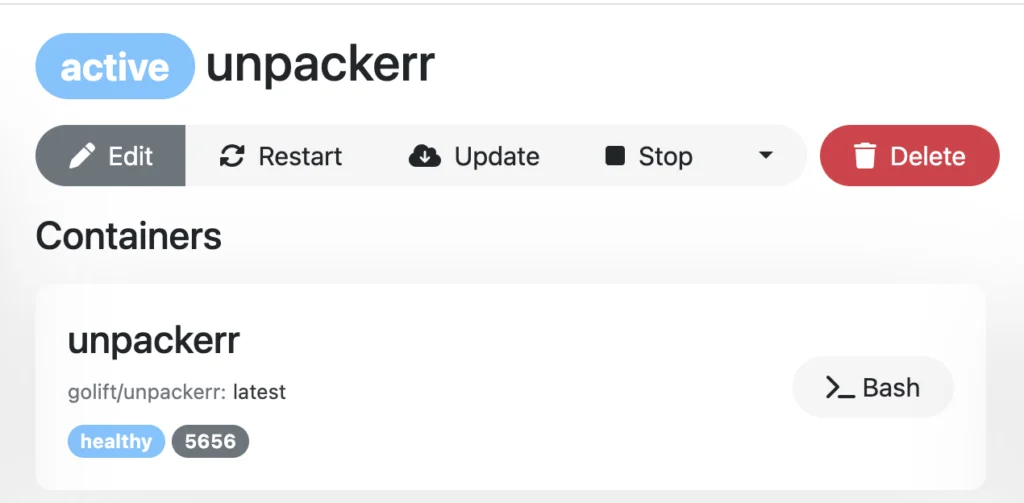
Healthy just means the process is running — it doesn’t confirm Unpackerr can actually reach Sonarr/Radarr yet. That’s what the logs are for.
Step 4: Confirm it’s talking to Sonarr/Radarr
docker logs unpackerr --tail 20A working setup logs a status line per app every interval, and switches to an extraction sequence the moment it finds something waiting:
[INFO] 2026/07/12 13:27:56 [Sonarr] Updated (http://<sonarr-ip>:8989): 0 Items Queued, 0 Retrieved
[INFO] 2026/07/12 13:27:56 [Radarr] Updated (http://<radarr-ip>:7878): 1 Items Queued, 1 Retrieved
[INFO] 2026/07/12 13:27:57 [Unpackerr] Queue: 1 waiting, 0 queued, 0 extracting, 0 extracted, 0 imported, 0 failed, 0 deleted
[INFO] 2026/07/12 13:28:40 [Radarr] Extraction Detected: Some.Movie.2026.1080p.WEB-DL (item waiting for extraction)
[INFO] 2026/07/12 13:28:40 [Unpackerr] Extraction Queued: Some.Movie.2026.1080p.WEB-DL, extracting 1 files
[INFO] 2026/07/12 13:29:12 [Unpackerr] Extraction Successful: Some.Movie.2026.1080p.WEB-DL, elapsed 32s
[INFO] 2026/07/12 13:29:12 [Radarr] Sending Manual Process Request to Radarr
If Sonarr/Radarr’s own log lines never appear, Unpackerr can’t reach the app — double-check the URL and that both containers are on a network that can actually route to each other. If the app connects fine but extractions never trigger, it’s almost always the path mismatch mentioned above: Unpackerr has to see the exact same path Sonarr/Radarr report the file at.
Useful commands
# Follow logs live
docker logs -f unpackerr

# Check current queue/extraction status via the built-in metrics endpoint
curl -s http://localhost:5656/metrics | grep unpackerr_queue

# Restart after a config change
docker compose restart unpackerr
Common problems
| Symptom | Likely cause |
|---|---|
| Sonarr/Radarr never shows an import prompt | Path mismatch — Unpackerr’s PATHS_0 doesn’t match what Sonarr/Radarr report for the download |
| Logs show no Sonarr/Radarr lines at all | Wrong URL/API key, or a network the two containers can’t route between |
| Extraction succeeds but original archive won’t delete | Expected if DELETE_ORIG=false — that’s the safe default, not a bug |
| Permission denied writing extracted files | Container’s user: doesn’t have write access to the downloads path — check ownership matches your download client’s |
Wrapping up
Unpackerr is one of those pieces that’s invisible when it’s working — no dashboard to check, nothing to click. The only real signs of life are the healthy status in Dockge and the log lines confirming it’s reaching your *arr apps. Pair it with Sonarr and Radarr if you haven’t already, and any archive-only release stops being a problem.