
For educational purposes only. This guide shows how to install self-hosted software on your own hardware. I don't condone piracy: only use these apps with media you own or have the right to use, and follow the law where you live. Back up your data first. Full disclaimer
Updated 16 November 2026 Tested with: Emby 4.10.2
Emby turns your films and TV shows into your own streaming service. It shows your library with posters and descriptions, and plays it on TVs, phones, tablets and web browsers, at home or away. It’s a polished middle ground between Plex and Jellyfin: you host it yourself, and most of it is free.
This guide sets up Emby with Docker Compose in six short steps. It takes about 15 minutes.
On this page (13 sections)
- 1Watch: install Emby with Docker Compose
- 2See when Emby needs to transcode
- 3What you need to set up Emby with Docker Compose
- 4Step 1: Make your compose file
- 5Step 2: Create your user
- 6Step 3: Add your libraries
- 7Step 4: Turn off automatic port mapping
- 8Step 5: Finish and restart once
- 9Step 6: Connect Radarr and Sonarr
- 10Optional: hardware transcoding
- 11If something’s wrong
- 12Updating Emby
- 13Frequently asked questions
Watch: install Emby with Docker Compose
The video has subtitles at the bottom and no sound. It was recorded on a clean test install with a simple compose file; the generator below gives you more options. The test film is Big Buck Bunny © Blender Foundation, peach.blender.org, licensed under Creative Commons Attribution 3.0.
See when Emby needs to transcode
Pick a device and a file to see whether Emby can send it as it is (Direct Play) or has to convert it on the fly. Then try a graphics card with Emby Premiere on and off. Under the demo is the generator you’ll use in Step 1.
Open the generator full screen
What you need to set up Emby with Docker Compose
- A computer or NAS running Docker. New to Docker? The Docker install guide covers Windows, Mac and Linux.
- Your films and TV shows in folders, ideally filled by Radarr and Sonarr, which name everything the way Emby likes.
Step 1: Make your compose file
In the generator, choose None (CPU) unless you’re buying Emby Premiere, and use the same data folder as Radarr and Sonarr. Then:
mkdir -p ~/emby && cd ~/embySave compose.yaml and .env there, and run the commands from the Commands tab. Emby opens at http://YOUR-SERVER-IP:8096.
Step 2: Create your user
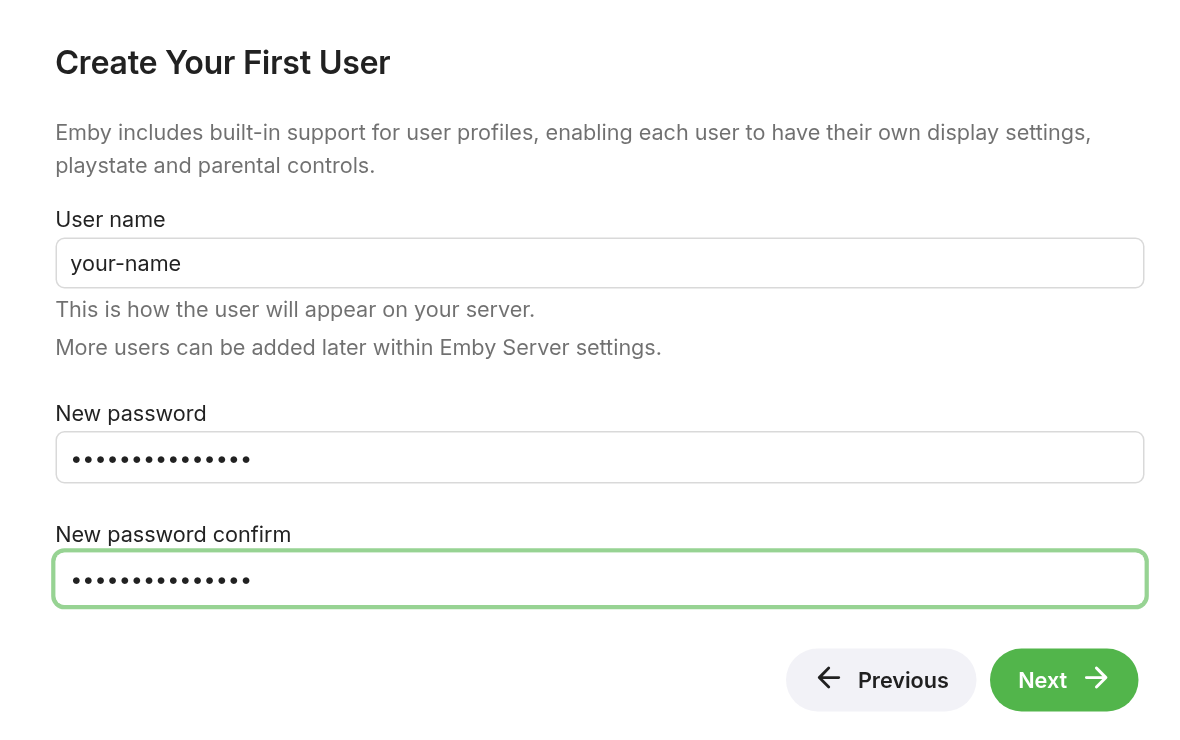
The setup wizard starts by itself. Pick your language, click Next, then choose a User name and a password. This is your admin account.
Step 3: Add your libraries
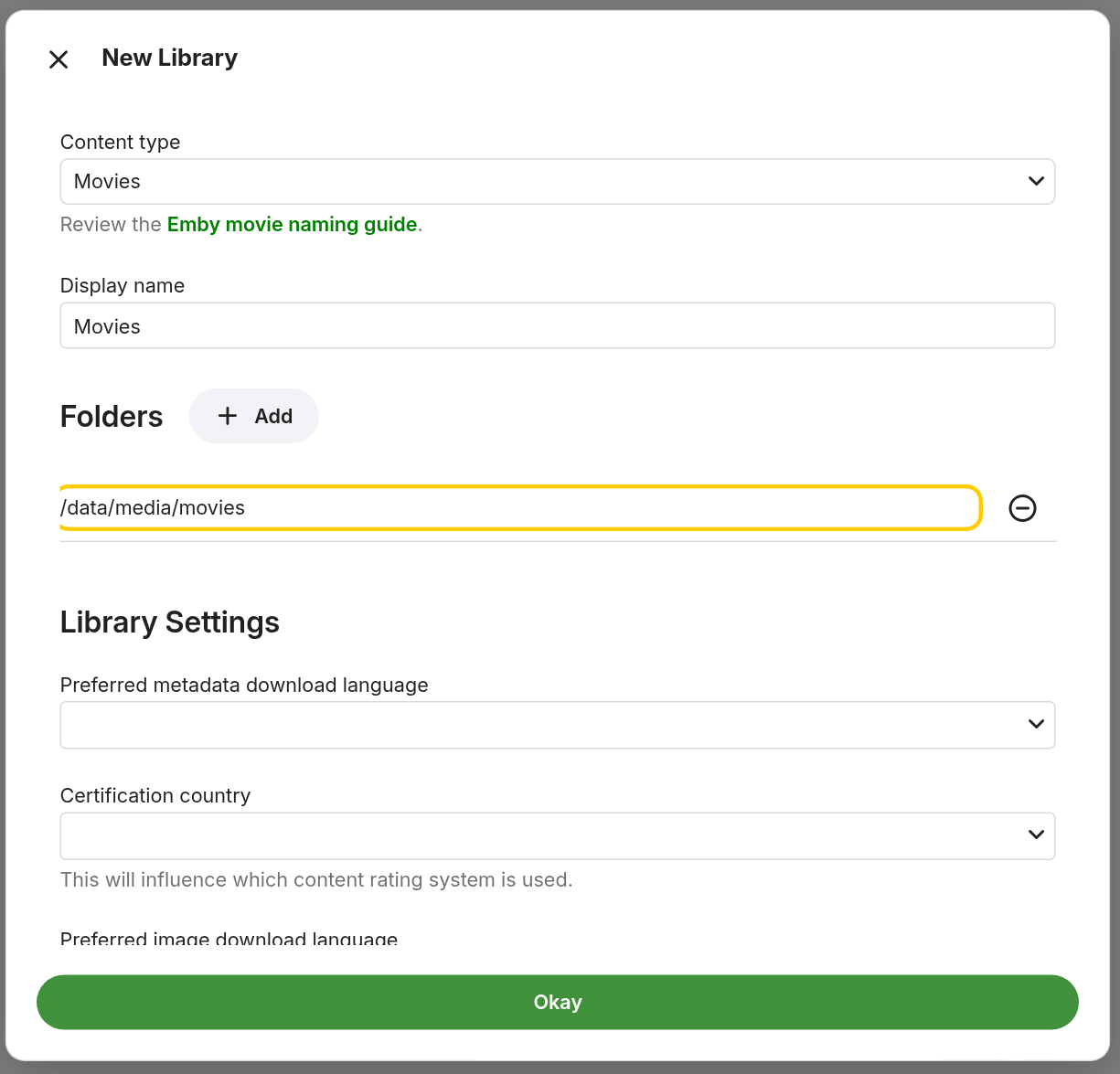
- Click New Library.
- Content type:
Movies. - Under Folders, click Add, type
/data/media/moviesand click OK. - Click Okay at the bottom.
- Do the same for
TV showswith/data/media/tv, then click Next.
Step 4: Turn off automatic port mapping
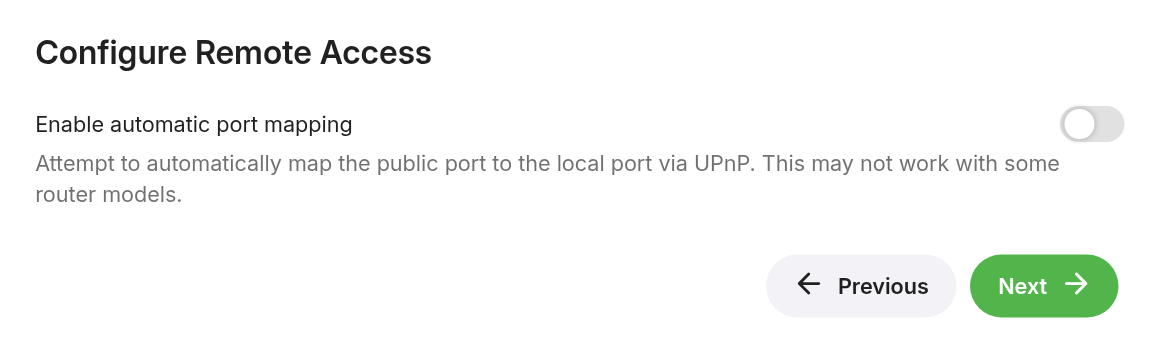
The next screen, Configure Remote Access, has Enable automatic port mapping switched on. That asks your router (using UPnP) to open Emby to the whole internet. Switch it off, then click Next. If you want Emby away from home later, connect to your home network with a VPN app such as WireGuard or Tailscale instead. Don’t put Emby behind a Cloudflare Tunnel: Cloudflare doesn’t allow video streaming through it.
Step 5: Finish and restart once
Tick I accept the terms of use, click Next, then Finish, and sign in. Emby scans your folders straight away, and your films appear on the home screen.
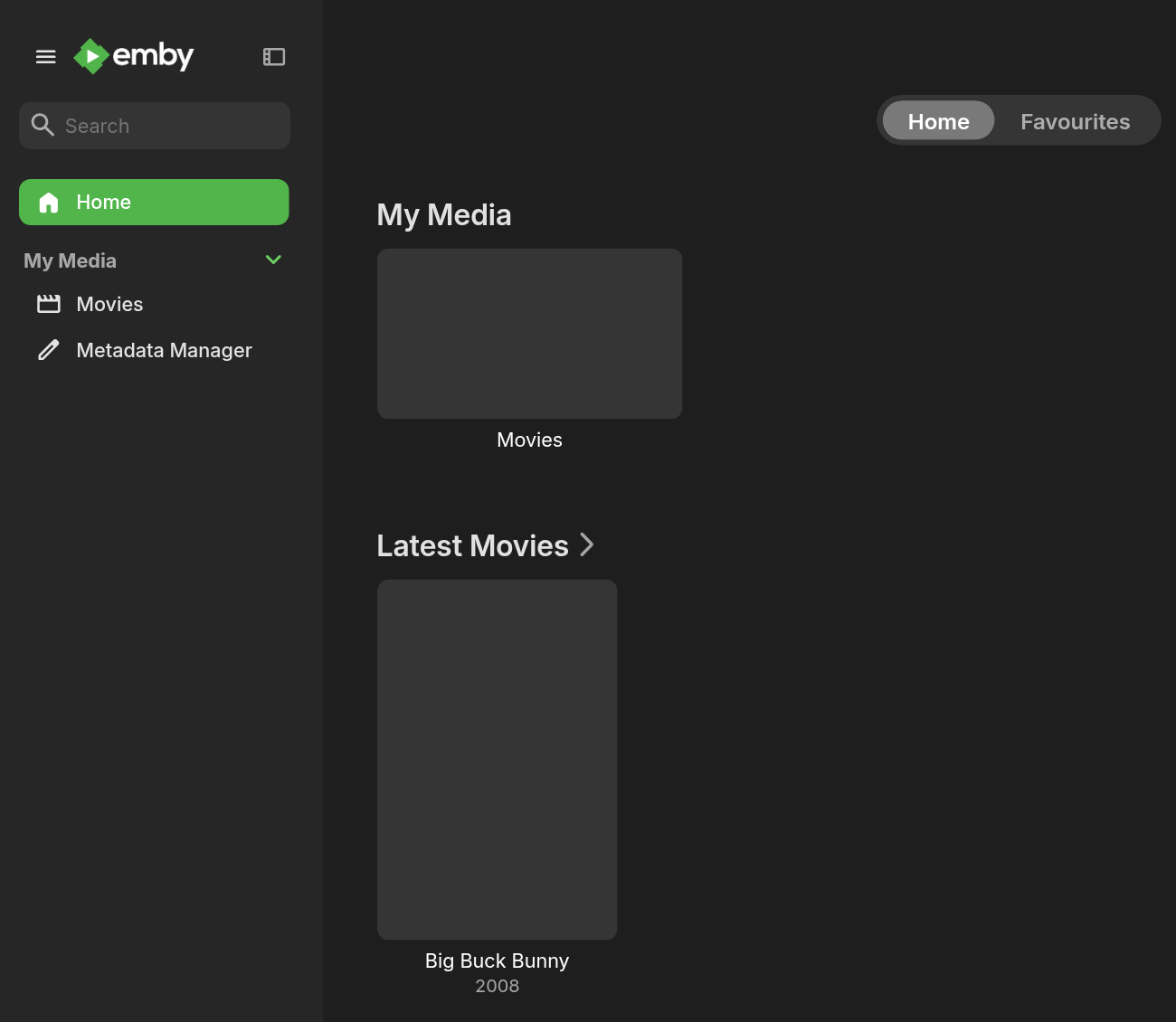
On first start Emby installs a few plugins (film and TV information, subtitles), and the Dashboard asks you to restart the server to finish applying updates. Do it once:
docker compose restart embyStep 6: Connect Radarr and Sonarr
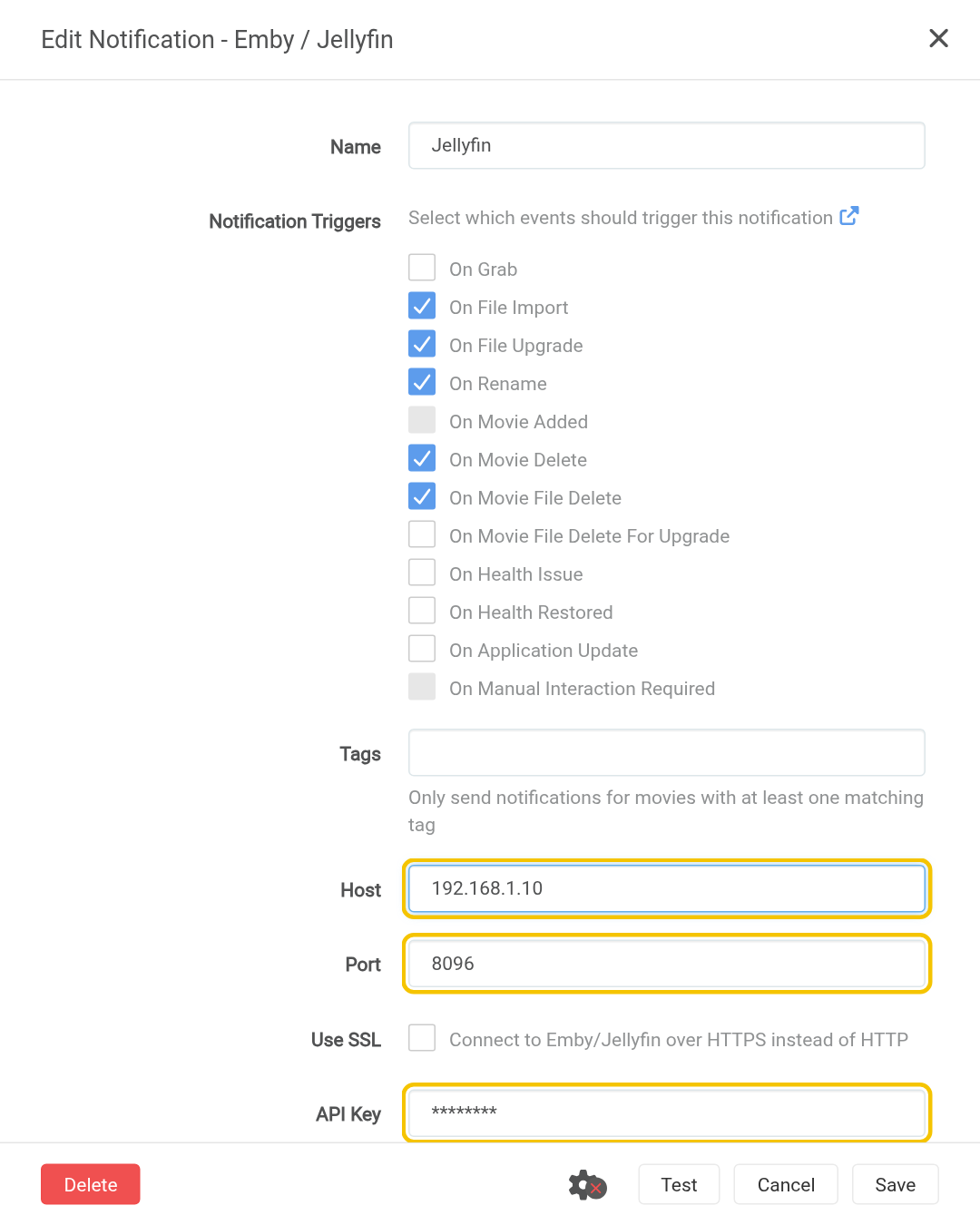
This makes new films and episodes show up in Emby as soon as they arrive.
- In Emby, open Settings (the gear), go to API Keys (under Advanced) and click New API Key. Name it
Radarrand copy the key. - In Radarr, go to Settings → Connect → + → Emby / Jellyfin.
- Name it
Emby. Host: your server’s IP. Port:8096. Paste the API Key, and tick Update Library. - Click Test (I tested this against Emby 4.10 and it passes), then Save. Do the same in Sonarr.
Optional: hardware transcoding
Most TV apps play files directly, so many people never need this. If you transcode a lot (phones on mobile data, 4K to older devices), a graphics card takes the load off the CPU, but in Emby it needs Emby Premiere:

With Premiere: choose Intel / AMD or NVIDIA in the generator, recreate the container with docker compose up -d, then set Enable hardware acceleration when available to Yes. I haven’t tested the GPU side, as it needs a paid subscription. If you’d rather not pay, Jellyfin does GPU transcoding for free.
If something’s wrong
- A library is empty. Check the folder path is
/data/media/movies(inside the container), and that the data folder in.envis the one Radarr uses. - Films show the wrong poster or title. Name folders like
Film Name (Year). Radarr does this for you. - The Radarr test fails. Use your server’s IP, not
localhost, and check the API key. - “Port is already allocated”. Something else (often Jellyfin) uses 8096. Change the line to
- 8097:8096and open Emby at:8097. - Playback stutters. The CPU is transcoding something too heavy. Use a TV app that plays the file directly, or see hardware transcoding above.
Updating Emby
cd ~/emby
docker compose pull && docker compose up -d
Frequently asked questions
Emby, Plex or Jellyfin?
All three do the same job. Plex has the most apps and the easiest remote access. Jellyfin is completely free, including GPU transcoding. Emby sits between them, but GPU transcoding needs a paid Emby Premiere subscription.
Is Emby free?
Most of it is. Hardware (GPU) transcoding and some apps need Emby Premiere, a paid subscription.
Can I run Emby and Jellyfin on the same server?
Yes, but both use port 8096. Change Emby's line to - 8097:8096 and open it at port 8097.
Why do films show the wrong poster or title?
Name folders like Film Name (Year). Radarr does this for you.
Thank you
Emby is made by the Emby team. Thanks also to LinuxServer.io for the image.
Related guides: Media Server Stack · Plex · Jellyfin · Radarr · Sonarr
If this guide helped you, consider buying me a coffee. It helps keep guides like this one coming.
Get new guides by email
About one email a month: new step-by-step guides and card releases. No spam, unsubscribe any time.